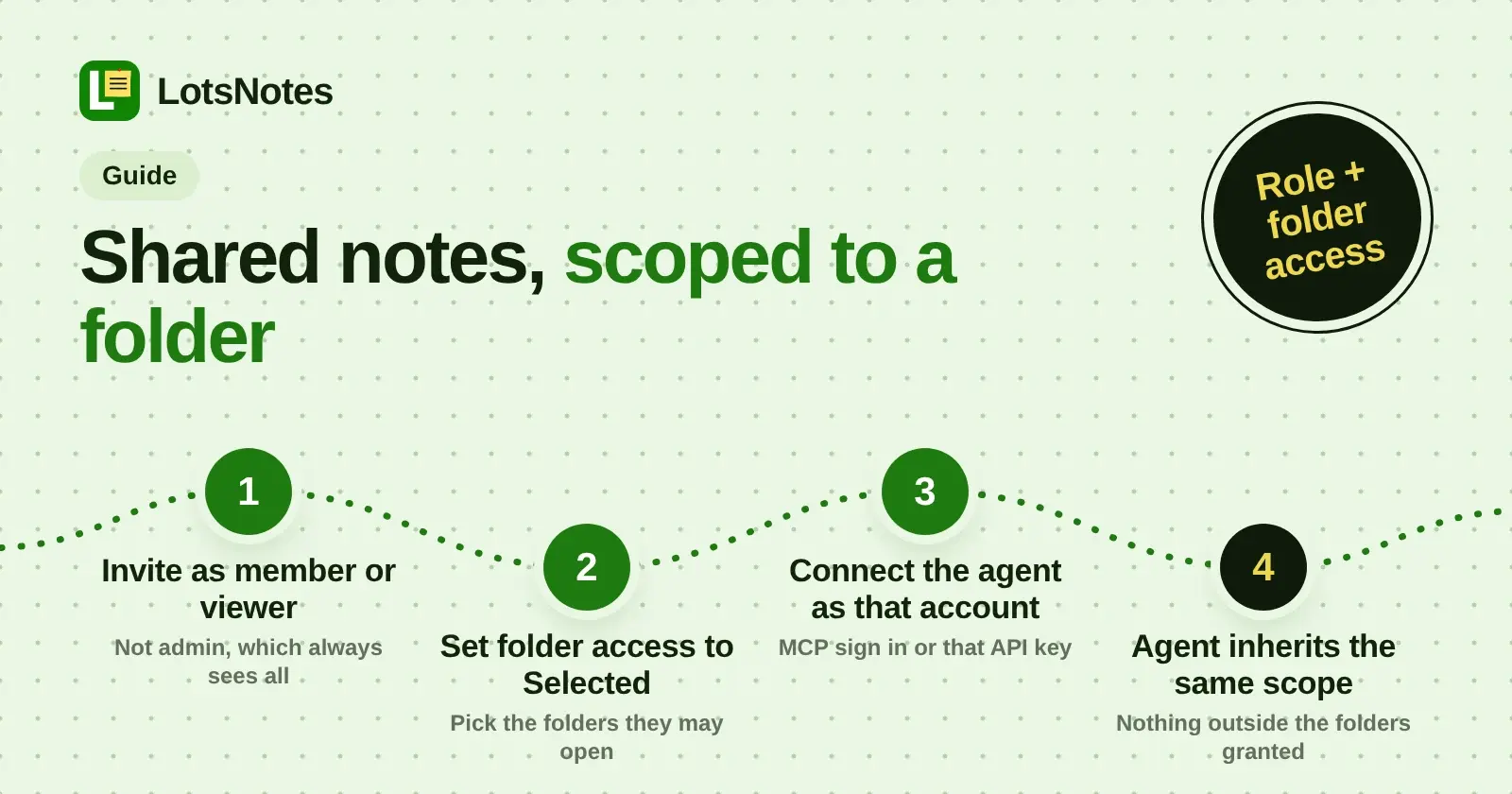
In LotsNotes you give a teammate, or the AI agent you connect for them, read access to only some folders in a workspace instead of the whole thing. You do it with two settings on an invitation or a membership: a role (member or viewer, not admin) and folder access set to "selected" with the folder IDs you want them to see. I built LotsNotes, and this is the exact mechanism, read straight out of the product's own access checks, not a guess.
The part people usually ask about is whether this scoping also holds for an AI agent, since an agent is what actually reads the notes most of the time. It does, but not because there is a separate "agent permission" setting. There isn't one. An agent's access is always exactly the access of whoever signed it in. So the way you give an agent read access to only some folders is the same way you give a person that access: you scope the account, then connect the agent as that account.
The three settings that control who sees what
Every workspace member in LotsNotes has:
- A role:
admin,memberorviewer. Admins manage the workspace, its folders and its team, and they always see every folder. Members create and edit notes in the folders they can open. Viewers only read. - Folder access:
all(the default) orselected. - Folder IDs: the specific folders a
selectedmember or viewer may open, when folder access is set toselected.
Granting a folder also grants everything nested inside it, so you don't have to list every subfolder separately. This only works for member and viewer roles. An admin's folder access is always all, because admin already means "manages every folder," so there's nothing to restrict.
Inviting someone with access to only some folders
From the dashboard
- Open the workspace on lotsnotes.com and go to its Team page.
- Click to invite someone, enter their email, and pick a role of Member or Viewer.
- Instead of leaving folder access on "All folders," switch it to "Selected folders" and tick the ones they should see.
- Send the invitation. It's an email link that works for seven days and only for that address.
From an agent or a script
The same thing, through the API or an MCP agent, is one call to invite_workspace_member:
curl -X POST \
  -H "X-API-Key: YOUR_API_KEY" \
  -H "Content-Type: application/json" \
  -d '{
        "workspace_id": "WORKSPACE_ID",
        "email": "contractor@example.com",
        "role": "viewer",
        "folder_access": "selected",
        "folder_ids": ["FOLDER_ID_1", "FOLDER_ID_2"]
      }' \
  https://api.lotsnotes.com/api/v1/lotsnotes/workspaces/WORKSPACE_ID/invitations
That invites the address as a viewer who can only open those two folders (and anything inside them), nothing else in the workspace. If you later need to widen or narrow it, update_workspace_member changes the role, the folder access mode, or the folder list on an existing membership without having to remove and re-invite anyone:
curl -X PATCH \
  -H "X-API-Key: YOUR_API_KEY" \
  -H "Content-Type: application/json" \
  -d '{
        "workspace_id": "WORKSPACE_ID",
        "member_id": "MEMBER_ID",
        "folder_ids": ["FOLDER_ID_1", "FOLDER_ID_3"]
      }' \
  https://api.lotsnotes.com/api/v1/lotsnotes/workspaces/WORKSPACE_ID/members/MEMBER_ID
list_workspace_members shows you the current role and folder access for everyone in the workspace, including pending invitations, if you need the member ID or want to check what's actually granted before you change it.
How this carries over to an AI agent
There's no "agent API key" that's different from a person's API key, and no separate scope you set on a key. Both ways of connecting an agent go through an ordinary Lots account:
- MCP: the agent adds
https://api.lotsnotes.com/mcpas a remote server and signs in with OAuth, as that account. - REST: the agent uses an API key created for that account at lotstech.com/api.
Either way, every tool call the agent makes is checked against that account's membership: its role, its folder access, its folder IDs. There's no extra layer and no shortcut around it. Read it as a feature, not a gap: an agent genuinely cannot see more than the account connecting it can see, in the dashboard or anywhere else.
So if you want an agent that can only read your Support folder and nothing from Roadmap or Finance, the move is to invite a dedicated address, a separate account you or a teammate controls, as a viewer scoped to that one folder, then connect the agent with that account's own sign-in or API key, never with your own full-access one. That gives the agent its own identity in the workspace, one you can see in the member list, change the folders on, or remove entirely without touching your own access or anyone else's.
One thing folder scoping does not catch
Folder access only governs notes filed inside a folder. A workspace also holds notes that aren't in any folder at all, what LotsNotes calls workspace-wide notes, and those are visible to every active member regardless of their role or folder access. An AGENTS.md note left at the workspace level, for instance, is read by everyone and every agent in that workspace, by design, since it's meant to be the one set of instructions everyone starts from.
If something needs to stay out of a scoped member's or agent's reach, put it inside a folder they aren't granted, not loose at the workspace level. It's a small distinction, but it's the one place "selected folders" doesn't quite mean "everything except what I chose" unless you've actually moved the sensitive notes into folders first.
Private notes go further than folder scoping
Separately from all of this, LotsNotes has private notes, and they sit outside the whole access system above. A private note never shows up to an API or MCP call at all, for anyone, including its own author. It only ever opens on lotsnotes.com itself, in the browser, signed in as the person who wrote it. So if a note should never reach any agent under any circumstances, making it private is a stronger and simpler guarantee than folder scoping: there's no role or folder setting that overrides it, because agents are never shown that it exists.
What this needs on your plan
Inviting anyone into a workspace, whether at all-folders or selected-folders access, needs LotsNotes Pro. The Free plan is for one person only (one workspace, three folders, no team members). Pro is a one-time $99 payment, not a subscription, and it's included automatically if you're already on a Pro or Business plan of LotsSocial, LotsBlog, LotsTeam, LotsCRM, LotsInvoice, LotsBusiness or LotsStore, or on LotsTech for Business or LotsTech for Founders. Full details are on the pricing page.
FAQ
Can I limit which folders a teammate sees in LotsNotes? Yes. Invite them (or edit their existing membership) as a member or viewer with folder access set to "selected" and pick the folders. Granting a folder also grants its subfolders. This is a Pro feature; Free workspaces are for one person only.
Can I do the same for an AI agent, not just a person? Yes, but indirectly. There's no separate agent-only scope. An agent's access is exactly the access of whichever account signed it in, by MCP OAuth or by API key. Scope that account to selected folders and the agent is scoped the same way.
Can an admin's access be limited to some folders? No. Admin means managing the whole workspace, its folders and its team, so admins always see every folder. Use the member or viewer role when you want folder-limited access.
If I scope someone to one folder, will they ever see notes from other folders? Not folder notes from other folders. They will see workspace-wide notes, ones not filed into any folder, because those are visible to every active member no matter their folder access. Keep anything sensitive inside a folder rather than at the workspace level if it needs to stay scoped.
Does making a note private hide it from a scoped teammate or agent? A private note is hidden from every API and MCP call, including the author's own agent, and only opens in the browser on lotsnotes.com for the person who wrote it. It's a separate, stronger control than folder access.
Do I need a paid plan to invite anyone, even with limited access? Yes. Any invitation, at any folder access level, needs LotsNotes Pro. Pro is $99 once, not a subscription, and it's included if you already have a Pro or Business plan on several other Lots products.