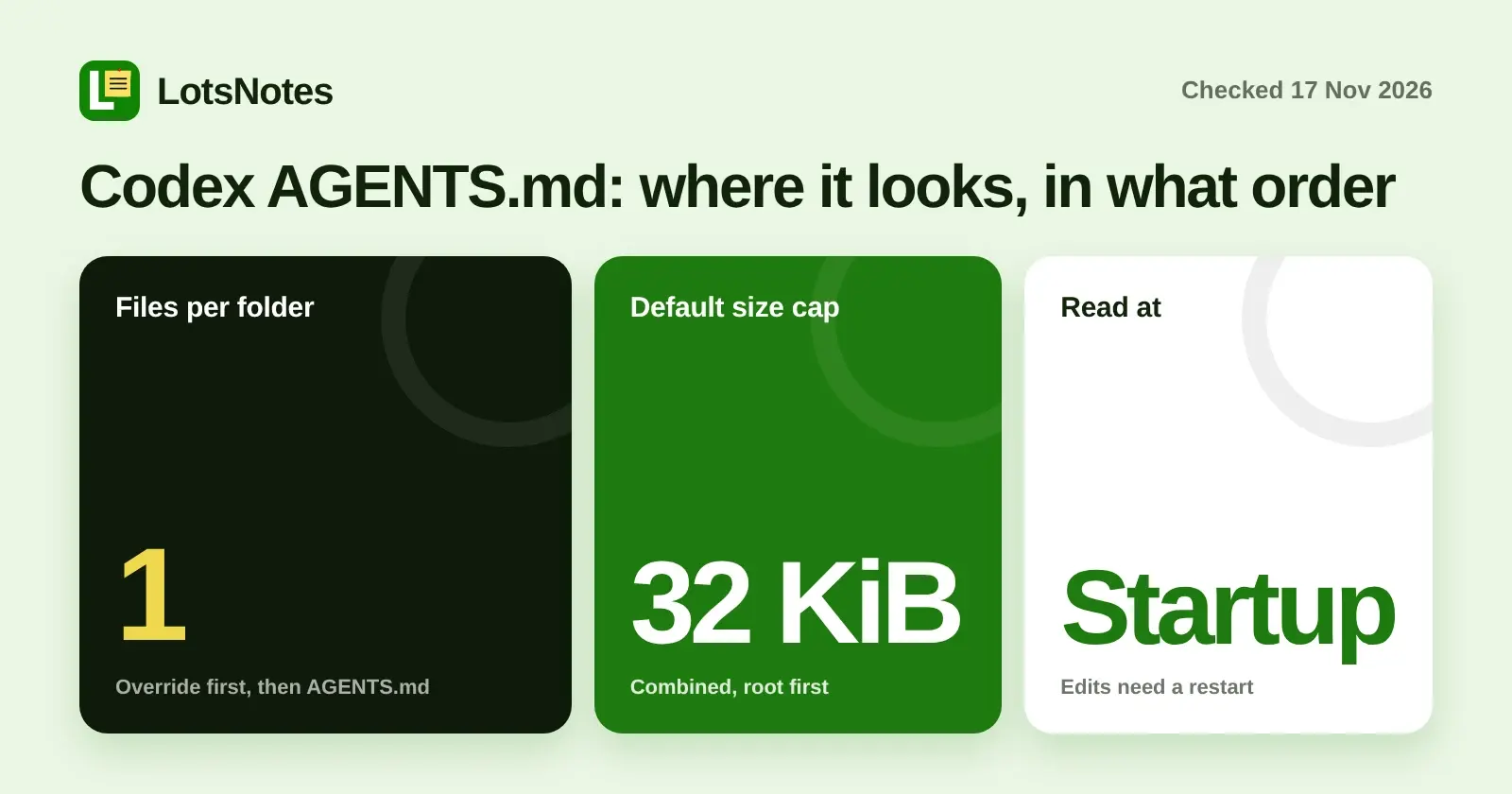
Codex builds its instructions once per run: it reads ~/.codex/AGENTS.override.md or ~/.codex/AGENTS.md first, then walks from your project root (usually the Git root) down to the folder you are working in, taking at most one file per folder (AGENTS.override.md, then AGENTS.md, then any fallback names you configured). The files are joined root first, so the ones closest to your work come last and win, and the whole thing stops growing at 32 KiB by default. To share one set of instructions with Claude Code, keep it in AGENTS.md and add a CLAUDE.md that contains @AGENTS.md; to share it across repositories and people, keep the source in a LotsNotes note that both agents read over MCP.
I run LotsTech's agents from shared instructions, so the exact lookup order matters to me. Everything about Codex below comes from OpenAI's own AGENTS.md page and everything about Claude Code from Anthropic's memory page, both opened and checked on 17 November 2026. Links are at the end.
How Codex finds AGENTS.md at a glance
Checked on 17 November 2026 in OpenAI's Codex documentation.
| Step | Where Codex looks | What it picks |
|---|---|---|
| 1. Global | ~/.codex (or CODEX_HOME if you set it) | AGENTS.override.md if it exists, otherwise AGENTS.md. Only the first non-empty file at this level is used |
| 2. Project root | The project root, typically the Git root. With no root found, only the current directory | In each folder: AGENTS.override.md, then AGENTS.md, then names in project_doc_fallback_filenames. At most one file per folder |
| 3. Walk down | Each folder from the root to your current directory | The same one-file-per-folder check |
| 4. Combine | All the files found | Joined from the root downward with blank lines. Empty files are skipped. Closer files come later, so they override earlier guidance |
| 5. Cap | The combined text | Stops adding files once the size reaches project_doc_max_bytes (32 KiB by default) |
Two details trip people up. Codex builds the chain once per run (in the terminal UI, once per launched session), so an edit needs a restart, and discovery stops at the folder you are in, so an AGENTS.md in a sibling folder is never read.
A worked example
Say your repository looks like this and you start Codex in services/payments/:
~/.codex/AGENTS.md
my-repo/AGENTS.md
my-repo/services/AGENTS.md
my-repo/services/payments/AGENTS.override.md
my-repo/services/payments/AGENTS.md
Following OpenAI's rules, Codex reads the global file, then my-repo/AGENTS.md, then services/AGENTS.md, then only services/payments/AGENTS.override.md. The AGENTS.md next to the override is ignored because an override exists in the same folder. The OpenAI page uses the same payments example. Because the files are joined root first, the payments override is the last thing Codex reads, so it wins any conflict with the files above it.
The size cap drops your most specific file first
Since the files are added from the root downward and Codex stops once the combined size reaches project_doc_max_bytes, the files that get cut are the deepest ones. That is my reading of the two rules together, not a line from the docs, and it matters: a long root AGENTS.md can push out the nested file you wrote for exactly the work you are doing. OpenAI says to raise the limit or split guidance across nested directories when it is truncated:
# ~/.codex/config.toml
project_doc_fallback_filenames = ["TEAM_GUIDE.md", ".agents.md"]
project_doc_max_bytes = 65536
With that config the per-folder order becomes AGENTS.override.md, AGENTS.md, TEAM_GUIDE.md, .agents.md. Restart Codex after editing the config. A short root file and small nested files stay well under the default.
How to check what Codex loaded
OpenAI's page gives these checks (run them from the repo root, or use --cd for a nested folder):
codex --ask-for-approval never "Summarize the current instructions."
codex --cd services/payments --ask-for-approval never "List the instruction sources you loaded."
The expected output lists the global file first, the root file second and the nested override last. If nothing loads, the page says to check that you are in the intended repo, that codex status shows the expected workspace root and that the files are not empty. If you get the wrong guidance, look for an AGENTS.override.md higher in the tree or in the Codex home.
How Claude Code reads CLAUDE.md and AGENTS.md
Checked on 17 November 2026 in Anthropic's Claude Code memory documentation.
| Codex | Claude Code | |
|---|---|---|
| Main file | AGENTS.md (and AGENTS.override.md) | CLAUDE.md (also .claude/CLAUDE.md and CLAUDE.local.md) |
| Personal, all projects | ~/.codex/AGENTS.md | ~/.claude/CLAUDE.md |
| Walks | Project root down to the current folder | Your working directory and every folder above it, plus subfolders on demand |
| Several files | Joined root first, closer ones override | Concatenated root first, nothing overrides, so conflicting lines may be followed either way |
| Reads the other's file | Only if you list it in project_doc_fallback_filenames | Reads AGENTS.md only when you have no CLAUDE.md or CLAUDE.local.md in the working directory or above it |
| Imports | Not described on the AGENTS.md page | @path/to/file, up to four hops deep |
| Size | 32 KiB combined by default | Aim for under 200 lines per file |
Anthropic's docs also say Claude Code never reads AGENTS.override.md, AGENTS.local.md or anything under .agents/, and that reading AGENTS.md directly needs Claude Code v2.1.277 or later. If you want it to read both files, a setting called Project instructions (claude-md-and-agents-md) does that.
Three ways to share one file between Codex and Claude Code
| Option | How | Catch |
|---|---|---|
| Import | Keep the real text in AGENTS.md. Create CLAUDE.md containing @AGENTS.md, then any Claude-only lines below it | Codex ignores CLAUDE.md, which is fine because it reads AGENTS.md itself |
| Symlink | ln -s AGENTS.md CLAUDE.md | Anthropic notes Claude's Edit and Write tools refuse to write through a symlink, and on Windows a committed symlink may arrive as a one-line text file. Use the import there |
| Fallback name | Keep a CLAUDE.md and add "CLAUDE.md" to project_doc_fallback_filenames in Codex's config | Only used in a folder with no AGENTS.md or override, and it is per machine config, not shared through the repo |
For one repository, the import is what I would use. It is two lines and both tools read the same words.
Where LotsNotes fits
Those options share a file inside one repository. They do not help when the same rules must reach ten repositories, a cloud agent that never cloned the repo, a ChatGPT chat, or a teammate who edits in a browser. That is the job I built LotsNotes for: a workspace of shared notes that your agents read over MCP or REST and you edit on lotsnotes.com. A note titled AGENTS.md in a workspace holds instructions, and a folder can have its own AGENTS.md for work in that folder.
Here is the pattern I use. The repo's AGENTS.md stays short and tells the agent to read the workspace note AGENTS.md through the LotsNotes MCP first. The shared rules live in that one note. Codex and Claude Code both follow the pointer, because both read the repo file.
# Instructions
Read the workspace note AGENTS.md in LotsNotes (MCP: https://api.lotsnotes.com/mcp)
before you start, then the folder notes for this repo. Build and test commands are below.

## Commands
- Install: pnpm install
- Test: pnpm test
Keep the commands that only make sense in that repo in the file itself, so the agent can run them even with the MCP not connected. The tradeoff is real: the pointer works only when the agent has LotsNotes connected, and a Codex session that has not signed in will read the stub and nothing more.
What the agent does with it
Once connected, the LotsNotes skill tells the agent to list workspaces, find the workspace-wide notes with find_context, read AGENTS.md first and then read only the notes the task needs with read_note. Notes at workspace level come back with every folder, so a workspace AGENTS.md reaches every agent. When an agent saves a note with save_context_note, it can send expected_version so that if someone changed the note in the meantime it gets a conflict instead of overwriting their edit, and every save keeps a version you can restore. Private notes stay on lotsnotes.com and are never returned to agents.
Unlike the Codex file chain, a note is read when the agent asks for it, so a change you make on lotsnotes.com is there the next time an agent reads it, with no restart. The agent reads on demand, so tell it in the repo stub to read the note before it starts.
Connect Codex in two commands
The setup is from OpenAI's MCP page and the LotsNotes Codex guide:
codex mcp add lots-notes --url https://api.lotsnotes.com/mcp
codex mcp login lots-notes
Then type /mcp in Codex to see the server and its tools. Claude Code and other agents have their own steps in the connect guide. For scripts and cloud agents without MCP, the REST API at https://api.lotsnotes.com/docs.md reads and writes the same notes with an API key from https://www.lotstech.com/api.
What it costs
LotsNotes Free is for one person: 1 workspace, 3 folders, unlimited notes and checklists, and MCP and REST access. LotsNotes Pro is $99, paid once, for unlimited workspaces, folders and team members with roles; it is already included while you hold a Pro or Business plan of LotsSocial, LotsBlog, LotsTeam, LotsCRM, LotsInvoice, LotsBusiness or LotsStore. Checked against the live pricing page and catalogue on 17 November 2026. More in LotsNotes pricing explained.
When to use which
- One repo, Codex and Claude Code:
AGENTS.mdplus aCLAUDE.mdthat imports it. No other tool needed. - Rules that differ by folder: nested
AGENTS.mdfiles for Codex (andAGENTS.override.mdwhen a folder must replace its parent), kept small enough for the 32 KiB cap. - The same rules across many repos, agents and people: one shared note in LotsNotes, with a short pointer in each repo's
AGENTS.md.
For more on this, see AGENTS.md vs CLAUDE.md for the other tools, a real AGENTS.md for a marketing, support or sales agent for what to put in it, and Claude Code handoff for passing work between sessions.
FAQ
Does Codex read CLAUDE.md?
Not by default. OpenAI's AGENTS.md page says Codex looks in each directory for AGENTS.override.md, then AGENTS.md, then any names you list in project_doc_fallback_filenames, and that filenames not on the list are ignored. So CLAUDE.md is read only if you add it to that list, and then only in a directory that has no AGENTS.override.md or AGENTS.md. Checked on 17 November 2026.
Does Claude Code read AGENTS.md?
Yes, but by default only when you have no CLAUDE.md, .claude/CLAUDE.md or CLAUDE.local.md in your working directory or above it. If you have a CLAUDE.md, put @AGENTS.md in it and Claude Code loads the AGENTS.md through the import. Anthropic's memory docs describe both behaviors. Checked on 17 November 2026.
What is the size limit for Codex AGENTS.md files?
32 KiB by default, counted across all the files Codex combines. Once the combined size reaches project_doc_max_bytes no more files are added, and you can raise the limit in ~/.codex/config.toml. Checked on 17 November 2026.
Do I need LotsNotes to share instructions between Codex and Claude Code?
No. One AGENTS.md in the repo plus a CLAUDE.md that imports it covers both tools for a single repository. LotsNotes helps when the same instructions have to reach many repositories, many agents or people who are not in the repo, because every agent reads one shared note over MCP or REST instead of copying a file around.
What does LotsNotes cost for this?
Free covers one person with 1 workspace, 3 folders, unlimited notes and checklists, and MCP and REST access. LotsNotes Pro is $99, paid once, for unlimited workspaces, folders and team members. Checked against the live pricing page and catalogue on 17 November 2026.
Sources
All opened on 17 November 2026:
- OpenAI, Custom instructions with AGENTS.md (the page at developers.openai.com/codex/guides/agents-md redirects here)
- OpenAI, Model Context Protocol in Codex
- Anthropic, How Claude remembers your project
- LotsNotes: skill.md, Codex setup guide, pricing