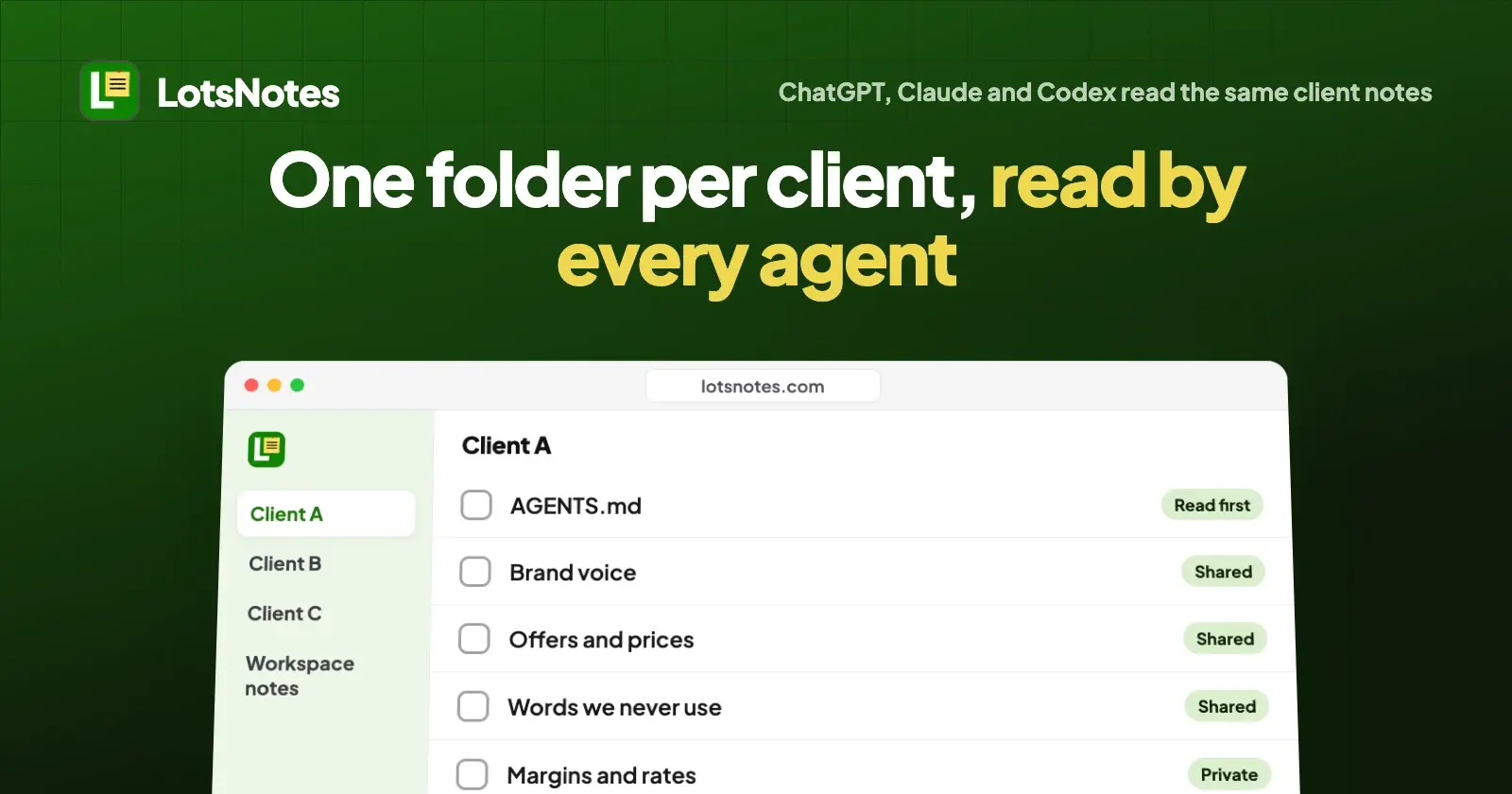
Give each client its own container in every assistant: a ChatGPT project on project-only memory, a Claude project with "Use account memory" off, and a repository with its own AGENTS.md for Codex. That keeps brands apart but leaves three copies per client. For one copy all three read, give each client a LotsNotes folder with its own AGENTS.md note.
I run LotsTech's own agents this way, with a folder per agent instead of per client, so this is the setup I'd hand an agency on day one. Below is what each assistant does with client context today, where it leaks, and how to keep one source per client that ChatGPT, Claude and Codex all read. Every vendor fact here comes from OpenAI's and Anthropic's own help pages and docs, checked on 20 October 2026.
Where client context lives in each assistant
Checked on 20 October 2026 in the OpenAI Help Center, the Codex docs, and the Claude Help Center.
| ChatGPT | Claude (chat) | Codex | |
|---|---|---|---|
| Container per client | A project | A project | A repository or folder |
| Client instructions | Project instructions; they override your global custom instructions inside the project | Project instructions | AGENTS.md at the repository root |
| Client knowledge | Project files (5 on Free, 25 on Go and Plus, 40 on Pro, Business, Enterprise and Edu) | Project knowledge; paid plans switch to retrieval for up to 10x more | Files in the repository |
| What can cross between clients | With default memory, your saved memories, and on plans other than Enterprise and Edu, chats outside the project | Your account memory, and project memory can be referenced outside the project when memory is on | ~/.codex/AGENTS.md applies to every repository |
| How to stop it | Set the project to project-only memory (shared projects always are) | Turn off "Use account memory" on the project page | Keep the global file agency-wide only |
| Shared with your team | Every plan, with chat or edit access | Team and Enterprise only | Through the repository |
| Read by the other two assistants | No | No | No |
The last row is the whole problem. Each assistant does a good job of keeping one client together inside itself. None of them reads what you set up in the other two.
ChatGPT: one project per client, project-only memory
A ChatGPT project holds chats, files and instructions together. Project instructions apply only inside that project and override your global custom instructions, so "Write in Client A's voice, never mention discounts" stays in Client A's project.
Memory is where clients can bleed into each other. OpenAI's help page lists two settings per project:
- Default memory: your saved memories are referenced, and on plans other than Enterprise and Edu (Business included), chats in the project can reference conversations outside it, and be referenced by them.
- Project-only memory: your saved memories aren't referenced, and chats can't reference conversations outside the project or in another project.
For client work, set every client project to project-only memory when you create it. There's no global switch: OpenAI says each project's memory is set individually. Shared projects are set to project-only memory automatically and can't be switched back, and they don't see a member's custom instructions or memories from outside the project.
Sharing works on every plan, with chat or edit access. Collaborator caps follow the owner's plan: 5 on Free, 10 on Plus and Go, 100 on Pro and in workspace projects. If your agency works in a Business or Enterprise workspace, project invitations may be limited to members of that workspace.
Claude: one project per client, account memory off
A Claude project is a self-contained workspace with its own chats, project knowledge (documents, text and code you upload) and project instructions. Free accounts can create up to five projects, and paid plans add retrieval for larger project knowledge.
Anthropic's memory page is precise about what crosses:
- Each project has its own memory. In a project, Claude uses that project's memory alongside your memory from chats outside projects, but never another project's memory.
- New memory is saved to the project, and with memory on, Claude can reference it in chats outside projects too.
- To keep a project's memory fully separate, turn off "Use account memory" under Memory on the project's page.
So for client work: one project per client, "Use account memory" off. Sharing a project with teammates needs a Team or Enterprise plan, with "Can view" or "Can edit" access. Anthropic is also rolling out a new version of projects in beta, starting in Claude Code for some Pro and Max users; the steps above are for the current version in chat.
Codex: one repository per client, global file kept generic
Codex reads AGENTS.md files before it does any work. It builds the chain from your Codex home first (~/.codex/AGENTS.md, or AGENTS.override.md if present), then every directory from the project root down to where you started, with closer files appearing later so they win. It stops adding files at 32 KiB by default.
For an agency that means:
- A repository, or at least a top-level folder, per client with an
AGENTS.mdthat names the client's stack, conventions and do-not-touch rules. - The global file holds only agency-wide rules, because it loads in every client's repository. A client name in
~/.codex/AGENTS.mdfollows you into everyone else's code. - Nothing in a Codex
AGENTS.mdreaches ChatGPT or Claude chat. Claude Code can readAGENTS.md, which I covered in AGENTS.md vs CLAUDE.md.
The cost: three copies of every client
Put the three together and each client exists three times: a ChatGPT project, a Claude project and a repository. Ten clients means thirty places to update when a client changes their offer, their tone or a word they never want to see again. Each assistant ends up with a slightly different version of the brand, and the teammate who only works in Claude never sees the instructions someone wrote in ChatGPT.
That's the gap I built LotsNotes for. You keep each client's facts once, and ChatGPT, Claude, Codex and any other MCP agent read the same notes. It works with the AI agent you already use, so nobody on the team has to change tools.
One folder per client in LotsNotes
Here is the layout I'd start with. The names are examples.
Workspace: Your Agency
├── AGENTS.md              (workspace note: house rules every agent reads)
├── Reporting format       (workspace note)
├── Client A (a coffee roaster)
│   ├── AGENTS.md          (read first for Client A)
│   ├── Brand voice
│   ├── Offers and prices
│   └── Words we never use
├── Client B (a dental clinic)
│   ├── AGENTS.md
│   ├── Brand voice
│   └── Approved claims
└── Client C (a SaaS startup)
    └── ...
How LotsNotes treats that structure, from its own docs and tool list:
- Workspace notes reach every folder. A workspace-level note comes back with every folder's notes, so it's the right place for your agency's house rules and the wrong place for anything about one client.
- A folder's
AGENTS.mdis that client's instruction file. When an agent asks for a folder's context (find_contextwith that folder), it gets the workspace notes plus that folder's own notes. Client B's notes don't come back while it works on Client A. - Tell the agent the folder. A title search with no folder returns matching notes from every folder you can read, so your prompt or the client's project instructions should always name the client folder.
- Folder-scoped access for people. On the Team page, or through the agent, you invite someone as admin, member or viewer with "All folders" or "Specific folders". Members and viewers on specific folders can open only those folders and everything inside them; admins always see every folder. A freelancer's agent signs in as the freelancer, so it reads only the folders that person can.
- A workspace per client when the separation must be total. Workspace notes are visible to everyone in a workspace, including people limited to one folder. If a client's own staff will read the notes, or your contract says nothing of one client may sit next to another's, give that client its own workspace.
- Private notes stay private. A note marked private stays on lotsnotes.com and is never returned to agents or the API. Margins, internal rates and your own notes about a client belong there.
- You can see what an agent changed. Every save keeps a version you can restore, and every note an agent reads or saves comes back with its lotsnotes.com link.
You do all of this in the dashboard or from your agent. Each one does the whole job.
Set it up from your agent
Connect LotsNotes once in each assistant (steps for Claude, ChatGPT, Codex and Cursor are on the connect page, and I walked through them in how to connect Claude, ChatGPT, Codex and Cursor to LotsNotes). For Codex it's one command: codex mcp add lots-notes --url https://api.lotsnotes.com/mcp, then codex mcp login lots-notes. In ChatGPT, adding a custom connector with full read and write depends on your ChatGPT plan, and on some plans only admins can add one. Check OpenAI's current plan details.
Then ask your agent:
Use LotsNotes. Create a workspace called "Your Agency" with a workspace note titled AGENTS.md that says: "Every client has a folder. Before any client work, read the AGENTS.md note in that client's folder and nothing from other client folders." Then create folders for Client A, Client B and Client C, each with an AGENTS.md note, a Brand voice note and a Words we never use note. Give me the link to each note.
Behind that prompt the agent calls create_workspace, create_context_note and create_folder. To bring in a freelancer for one client:
Invite freelancer@example.com to the "Your Agency" workspace as a member with access to the Client B folder only. Confirm the email and role with me before you send it.
That's invite_workspace_member with folder_access set to selected folders. The invitation link works for 7 days and only for that email address.
Point each assistant at the client's folder
Keep the client's facts in LotsNotes, and leave each assistant a one-line pointer:
- ChatGPT project instructions: "Before anything else, use LotsNotes: read the AGENTS.md note in the Client A folder of the Your Agency workspace. Don't read other client folders."
- Claude project instructions: the same line. Keep "Use account memory" off for the project.
- Codex, the client's repository
AGENTS.md: build and code rules, plus "Brand, product and copy rules live in LotsNotes, workspace Your Agency, folder Client A. Read its AGENTS.md first."
When Client A changes their offer, you edit one note. ChatGPT, Claude and Codex read the new version the next time they open the folder.
What it costs
LotsNotes Free covers one person: 1 workspace, 3 folders, unlimited notes and checklists, MCP and REST. A solo consultant with three clients can run the folder setup above for nothing. Inviting teammates, a fourth client folder or a workspace per client needs LotsNotes Pro: $99, paid once, for unlimited workspaces, folders and team members with roles. Pro is included while you have a Pro or Business plan of LotsSocial, LotsBlog, LotsTeam, LotsCRM, LotsInvoice, LotsBusiness or LotsStore. Details are on the pricing page.
Founders with several products or brands
The same problem hits founders with two or three products, each with its own positioning, pricing and voice, using ChatGPT for writing, Claude for strategy and Codex for code. The setup is identical: one folder per product instead of per client, workspace notes for what's true of the whole company, and a pointer in each assistant. That's how LotsTech's own agents run: shared rules in one workspace AGENTS.md, and a folder per agent with its own AGENTS.md, plan and handoff notes.
If you're comparing other places to keep this kind of context, I covered Notion MCP alternatives and what ChatGPT and Claude each remember, and the rest are on the comparisons page.
FAQ
How do I stop ChatGPT from mixing up my clients?
Make one project per client and set each project to project-only memory in Project settings. With project-only memory, ChatGPT doesn't reference your saved memories or any conversation outside that project. Shared projects use project-only memory automatically.
Does a Claude project keep client information separate?
Mostly. Claude never uses one project's memory in another project, but it does bring your account memory into every project, and with memory on it can reference a project's memory outside projects. Turn off "Use account memory" on each client project to keep it fully separate.
Can Codex keep separate instructions per client?
Yes, with one repository or top-level folder per client and an AGENTS.md in each. Keep ~/.codex/AGENTS.md for agency-wide rules only, because Codex loads it in every repository.
Can ChatGPT, Claude and Codex read the same client notes?
Yes, if the notes live somewhere all three can reach. LotsNotes serves the same notes over MCP and REST, so each assistant reads the client's folder after you connect it once.
Can a freelancer see only one client's notes in LotsNotes?
Yes. Invite them as a member or viewer with access to specific folders. They, and any agent they connect, can open only those folders. They still see workspace-wide notes, so keep client details out of those, or give that client its own workspace.
Do I need LotsNotes Pro as an agency?
For one person with up to three clients, Free works: 1 workspace and 3 folders. Teammates, more client folders or a workspace per client need Pro, which is $99 once, or included with a Pro or Business plan of LotsSocial, LotsBlog, LotsTeam, LotsCRM, LotsInvoice, LotsBusiness or LotsStore.
Sources
Checked on 20 October 2026:
- OpenAI Help Center: Projects in ChatGPT (project instructions, memory settings, sharing and limits) and Connecting custom MCP servers in ChatGPT.
- Codex docs: Custom instructions with AGENTS.md.
- Claude Help Center: What are projects? and Use Claude's chat search and memory.
- LotsNotes: pricing, API docs, agent skill and tool list.