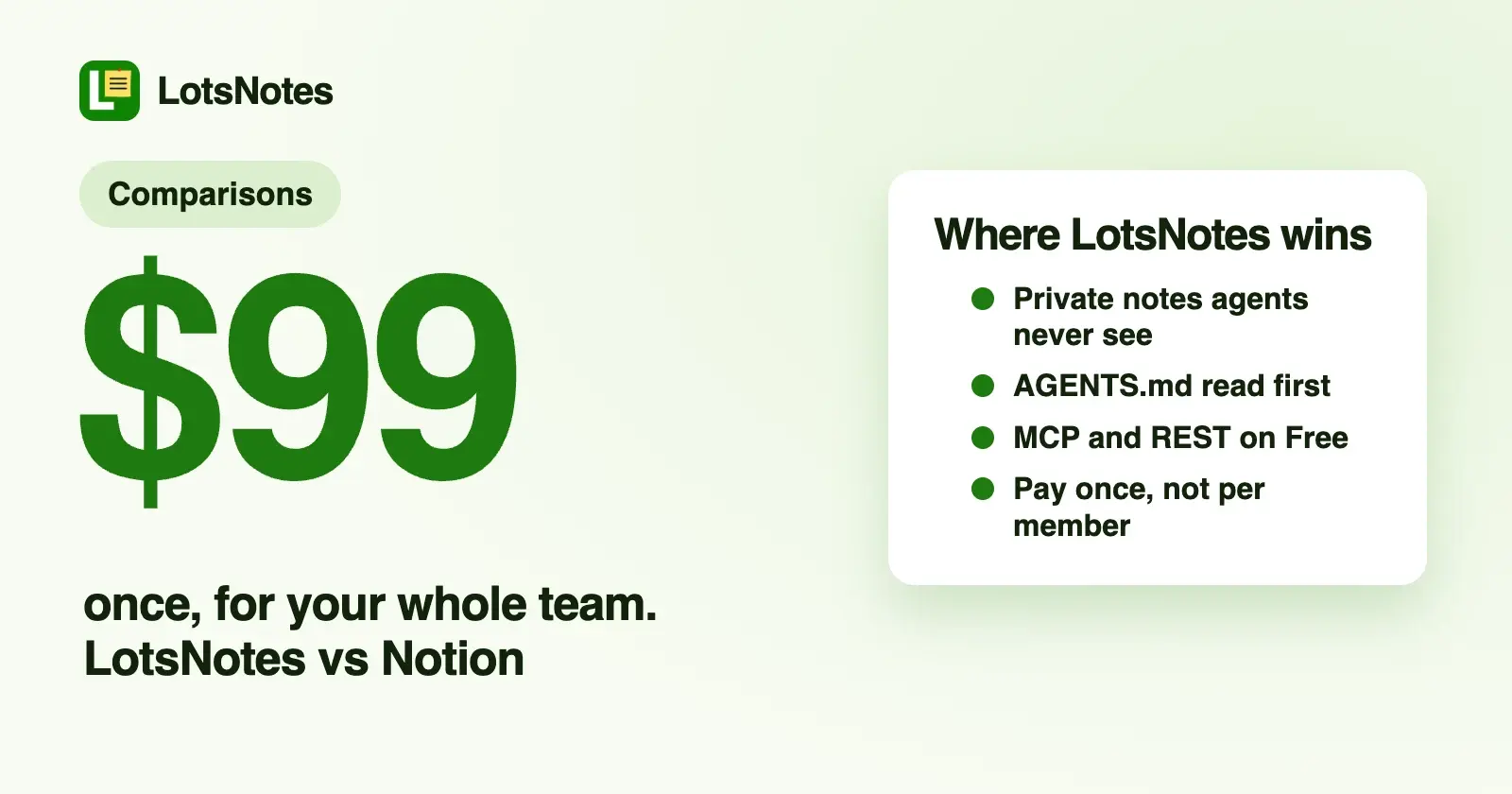
If you want Claude, ChatGPT, Codex and Cursor to read the same business facts before they work, and you want to pay once instead of per member, LotsNotes is the better fit. If your team already runs its docs, projects and databases in Notion, connect Notion MCP instead. You can also run both from the same agent.
I built LotsNotes for one job: holding the context every AI agent needs (what you sell, who it's for, how you sound, the rules and the decisions) in one place that every agent reads. Notion is a full workspace for docs, wikis, databases and projects, and its MCP server gives agents access to all of it. Everything about Notion below comes from its own pricing page, developer docs and help center, checked on 14 October 2026 (Notion's MCP sign-in FAQ rechecked on 19 October 2026), with links at the end.
LotsNotes vs Notion at a glance
| LotsNotes | Notion | |
|---|---|---|
| Built for | Business context every AI agent reads: positioning, voice, rules, decisions and agent instructions | An all-in-one workspace: docs, wikis, databases, projects, sites and Notion's own AI agents |
| Agent access | Remote MCP at https://api.lotsnotes.com/mcp with OAuth, plus a REST API with an API key | Remote MCP hosted by Notion at https://mcp.notion.com/mcp with OAuth (SSE fallback), plus Notion's public API |
| Clients | Claude, ChatGPT, Claude Code, Codex, Cursor, Windsurf and any remote MCP client; cloud agents and scripts over REST | Notion's docs list Codex, Claude Code, Cursor, VS Code (GitHub Copilot), Devin, Antigravity and others; its help center names Claude, Cursor and ChatGPT |
| Headless agents | REST API key for cloud agents and your own code, on every plan | On Business and Enterprise, an MCP token a workspace owner creates, sent as a bearer token with no browser sign-in; on Free and Plus, the browser OAuth flow (Notion's MCP FAQ, checked 19 October 2026) |
| What the agent can read and write | 31 tools in tools.json, checked 26 October 2026: list, create, update, archive and restore workspaces; find, read, create, update, move, archive, trash and restore notes; manage folders; list and restore versions; invite and manage workspace members; send and list support requests | Search (AI search on Business or Enterprise with Notion AI, keyword search otherwise), fetch, create and update pages, create databases and views, comments, file uploads, move, trash and restore, plus sessions with Notion's own agents |
| Keeping things from agents | Private notes are never returned to agents or the API. Shared notes follow roles; a member can be limited to selected folders | MCP tools act with your full Notion permissions, so they can reach everything you can access. Enterprise admins can allow only approved AI apps |
| Instructions agents read first | A note titled AGENTS.md, at workspace level (reaches every folder) or in one folder | Agents search and fetch the pages you point them to; Notion MCP can also turn a page into an AI skill |
| Versions | Every save keeps a version; your agent can list and restore versions. A save sent with expected_version gets a conflict instead of overwriting someone's edit | Page history: 7 days on Free, 30 on Plus, 90 on Business, unlimited on Enterprise |
| Editor and dashboard | lotsnotes.com: notes and checklists, workspaces, nested folders, roles, connected apps | The full Notion app on web, desktop and mobile |
| Scope | Notes and checklists | Docs, wikis, databases, projects, forms, sites, calendar, meeting notes |
| Price | Free for one person (1 workspace, 3 folders, unlimited notes, MCP and REST). Pro is $99, pay once: unlimited workspaces, folders and team members | Free $0. Plus $10 and Business $20 per member a month billed yearly ($12 and $24 billed monthly). Enterprise custom |
| What unlocks agent access | MCP and REST on every plan, Free included | MCP tools are listed on every plan; MCP tokens, AI search, some search filters and unlimited database queries need Business or Enterprise |
Where LotsNotes is the better choice
Private notes that agents never see
In LotsNotes every note is shared or private. A private note stays on lotsnotes.com and never comes back through MCP or the REST API. To an agent it looks like it doesn't exist. Shared notes follow your workspace roles: owners, admins and members edit, viewers read, and a member can be given selected folders only.
Notion's help center is direct about how its MCP works: the tools act with your full Notion permissions, so they can access everything you can. Its advice is to start with single-player use cases and be mindful of permissions. On the Enterprise plan, admins can approve which AI apps may connect. That's sensible for a big workspace. If you want salary notes, investor updates or half-formed ideas in the same tool your agents read, LotsNotes lets you keep them there without the agent ever touching them.
Built around how agents read
Notion organizes everything as pages and databases. LotsNotes is organized around the way an agent picks up context:
- A note titled AGENTS.md is read first. At workspace level it reaches every folder, so your house rules apply everywhere. A folder can hold its own AGENTS.md for one product, client or agent.
- Workspace notes come back with every folder. When an agent calls
find_contextfor a folder, it gets the workspace notes plus that folder's notes, each with a one-line summary, and reads only what the task needs. - Every note carries its link. Each note an agent reads or saves comes back with its lotsnotes.com URL, so the agent can hand you the page to review.
I run LotsTech's own agents this way: one folder per agent with its AGENTS.md, plan, handoff and ledger, so any agent can pick up tomorrow where another stopped. I wrote up the file conventions in AGENTS.md vs CLAUDE.md.
Pay once, not per member
Notion bills paid plans per member. LotsNotes Free covers one person with 1 workspace, 3 folders, unlimited notes and checklists, and MCP and REST access. When your team joins, LotsNotes Pro is one payment of $99 for unlimited workspaces, folders and team members with roles. No subscription.
For a team of five on Notion Plus billed yearly, that's 5 × $10 × 12 = $600 a year, every year. Notion Plus gives you a lot more than notes for that money, so this is about the price model, not like-for-like scope. If what you need is shared context for your agents, a one-time $99 is the whole bill.
And if you already have a Pro or Business plan of LotsSocial, LotsBlog, LotsTeam, LotsCRM, LotsInvoice, LotsBusiness or LotsStore, LotsNotes Pro is included while that plan is active. See pricing.
MCP and REST for every agent, on Free
LotsNotes includes both access paths on every plan. Claude, ChatGPT, Claude Code, Codex and Cursor connect to the MCP server and sign in with OAuth. Cloud agents and your own scripts use the REST API with a key from the API dashboard, so a scheduled agent that runs without a browser can read and write the same notes.
Notion MCP signs in with OAuth by default. Notion's MCP FAQ now says it can also be used without a browser sign-in on Business and Enterprise: a workspace owner creates an MCP token with New MCP token in the Developer portal, and the client sends it as a bearer token. Enterprise workspaces with SAML SSO can also use enterprise-managed authorization through their identity provider. On Free and Plus, it's the browser OAuth flow (checked 19 October 2026). Notion's MCP tools are listed on every plan, but AI search, filters such as last-edited date and title only, and unlimited database queries also need Business or Enterprise.
Agent edits you can undo
Every save in LotsNotes keeps a version, and your agent can list versions and restore an earlier one itself. If someone changed a note while the agent was working, a save with expected_version returns a conflict instead of overwriting the edit. Archive, trash and folder deletion all hide things that can be restored. The Workspace page lists every connected app with when it was last used, and you can disconnect one everywhere.
Where Notion fits
Notion is far broader than LotsNotes, and its strengths are real:
- One workspace for everything. Docs, wikis, databases with custom properties, projects with subtasks and dependencies, forms, charts, dashboards, published sites and Notion Calendar.
- A wide MCP tool set. Agents can create databases and views, upload files up to 20 MiB, comment, move and duplicate pages, and query database rows.
- Its own AI. Business includes Notion Agent, AI meeting notes and Enterprise Search across connected apps like Slack and GitHub. Custom Agents run on Notion credits.
- Enterprise controls. SAML SSO and private teamspaces on Business; SCIM, audit log, an AI app allowlist for MCP and zero data retention with its LLM providers on Enterprise.
If your team already lives in Notion and your agents mostly need to work on the documents and databases there, connect Notion MCP and keep going.
Which one should you choose?
Choose LotsNotes if:
- You use more than one AI agent and want every one of them reading the same business facts.
- You want some notes agents can never see, in the same tool.
- You want AGENTS.md instructions that reach every folder, and agents that read only the notes a task needs.
- You want MCP and REST on Free, and one $99 payment when your team joins.
Choose Notion if:
- Your team's docs, projects and databases already live in Notion.
- You want Notion's own AI, meeting notes and search across connected apps.
- You need SSO, SCIM, audit logs or an approved-apps list for MCP.
How to switch, or run both, from your AI agent
You don't have to pick one forever. A setup I like: Notion stays where your team writes docs and runs projects, and LotsNotes holds the short, current context every agent reads first.
- Connect LotsNotes: add
https://api.lotsnotes.com/mcpto your agent and sign in. The setup page has the steps for Claude, ChatGPT, Claude Code, Codex and Cursor, and this guide walks through each one. - Keep Notion MCP connected in the same agent.
- Give the agent this prompt:
Use Notion to find our pages on positioning, brand voice, pricing rules and current decisions, and fetch each one. Then in LotsNotes: list my workspaces and use the one for this business. Create a folder called Marketing. Create a workspace-wide note titled AGENTS.md that says, in under 300 words, who we are, who we sell to, how we write, what agents must never do, and that detailed specs live in Notion. Then create one shared note per topic in the Marketing folder, rewritten as short, current facts. Give me the lotsnotes.com link for every note you create.
In LotsNotes that runs on lotsnotes_list_workspaces, lotsnotes_create_folder and lotsnotes_create_context_note. Later, when a decision changes, ask any agent to update the note: it reads it with lotsnotes_read_note and saves it with lotsnotes_save_context_note, and the old version stays in history.
Anything personal or sensitive you move over, mark private on lotsnotes.com, and no agent will see it.
Common questions
Is LotsNotes a Notion MCP alternative?
Yes, for giving AI agents your business context. Both have a remote MCP server with OAuth that Claude, ChatGPT, Claude Code, Codex and Cursor can connect to. LotsNotes adds private notes agents never see, AGENTS.md notes that reach every folder, a REST API for cloud agents, and a one-time $99 Pro instead of per-member billing. It doesn't replace Notion's databases, projects or sites.
Does Notion MCP work with Claude Code?
Yes. Notion's docs say to run claude mcp add --transport http notion https://mcp.notion.com/mcp, then authenticate with /mcp in Claude Code. LotsNotes works the same way: claude mcp add --transport http lots-notes https://api.lotsnotes.com/mcp, then /mcp and Authenticate.
Which Notion plan do I need for Notion MCP?
Notion's docs say MCP tools can be listed on every plan. AI search needs Business or Enterprise with Notion AI; on other plans search falls back to keyword search. Some search filters, such as last-edited date and title only, and unlimited database queries also need Business or Enterprise. MCP tokens, for connecting without a browser sign-in, are on Business and Enterprise and only a workspace owner can create them (checked on 19 October 2026). Plus is $10 and Business $20 per member a month billed yearly, checked on 14 October 2026.
Can my AI agent read my private notes?
In LotsNotes, no. Private notes stay on lotsnotes.com and are never returned through MCP or the API. Notion's help center says Notion MCP acts with your full Notion permissions, so it can reach everything you can access.
Can I use LotsNotes and Notion together?
Yes. Connect both MCP servers to the same agent. Keep your docs and projects in Notion, and keep the short context every agent reads first in LotsNotes, with an AGENTS.md note that tells agents when to look in Notion.
How much does LotsNotes cost?
Free for one person: 1 workspace, 3 folders, unlimited notes and checklists, MCP and REST. LotsNotes Pro is $99, pay once, for unlimited workspaces, folders and team members, and it's included while you have a Pro or Business plan of LotsSocial, LotsBlog, LotsTeam, LotsCRM, LotsInvoice, LotsBusiness or LotsStore.
Start with your agent
Give your agent this and let it set itself up:
Read https://lotsnotes.com/skill.md and connect LotsNotes for me. The MCP server is https://api.lotsnotes.com/mcp.
Free covers one person, with MCP and REST included. See pricing, how to connect your agent, the best knowledge base tools with MCP support, or all comparisons.
Sources
Notion facts checked on 14 October 2026 on Notion's own pages, with the MCP sign-in FAQ and plan list rechecked on 19 October 2026:
- Pricing, plans and features: https://www.notion.com/pricing
- Notion MCP overview: https://developers.notion.com/guides/mcp/overview
- Connecting MCP clients, OAuth, MCP tokens and FAQ: https://developers.notion.com/guides/mcp/get-started-with-mcp
- Enterprise-managed authorization: https://developers.notion.com/guides/mcp/enterprise-managed-authorization
- Supported tools and plan limits: https://developers.notion.com/guides/mcp/mcp-supported-tools
- Notion MCP in the help center (permissions, admin controls): https://www.notion.com/help/notion-mcp
LotsNotes: https://lotsnotes.com/pricing, https://lotsnotes.com/mcp, https://lotsnotes.com/skill.md, https://api.lotsnotes.com/docs.md, https://api.lotsnotes.com/tools.json.