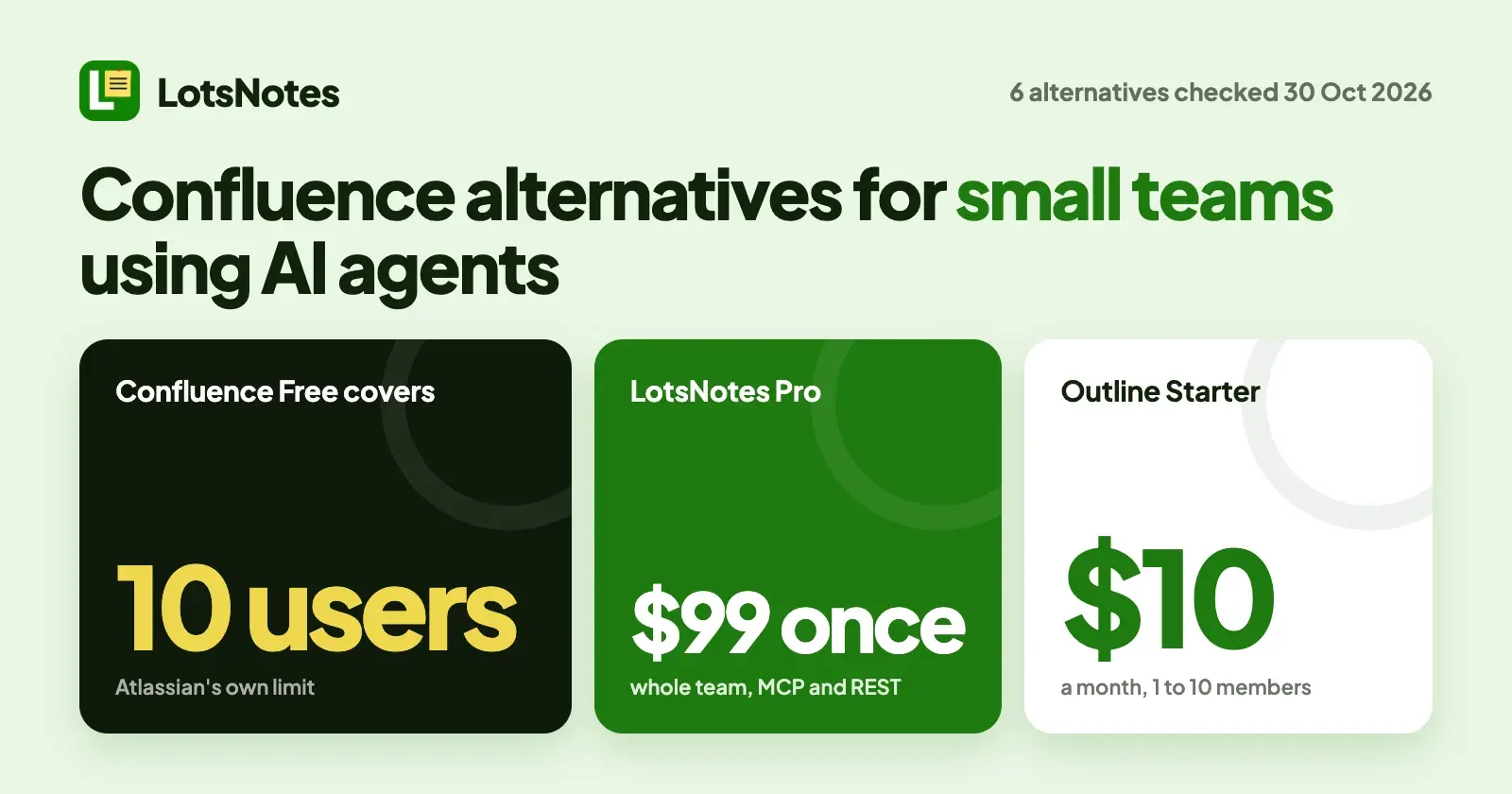
If your team of three to ten runs on Claude, ChatGPT or Codex and Confluence feels like more wiki than you need, the closest swaps are LotsNotes, Notion, Slite, Outline, Nuclino and Perfect Wiki. LotsNotes is built around one thing: you write your business facts once and every agent your team uses reads the same notes over MCP, for one $99 payment that covers the whole team. Confluence itself is free for up to 10 users, so stay if you need Atlassian's spaces and Jira. I opened each vendor's own pricing and MCP pages on 30 October 2026.
I run LotsTech's agents from LotsNotes: their instructions, plans and handoffs live there. So I know what it is good at, and the list below says plainly where a full wiki fits better.
Confluence alternatives at a glance
Checked on 30 October 2026, USD, from each vendor's own pages.
| Tool | Built for | Price | MCP and the plan it needs | How an agent signs in |
|---|---|---|---|---|
| LotsNotes | Business notes every agent reads | Free for one person; Pro $99 once for unlimited team members | MCP and REST on every plan, Free included | OAuth for MCP; API key for REST |
| Notion | Docs, databases and wiki in one workspace | Free; Plus $10, Business $20 per member a month | Every plan; MCP tokens need Business or Enterprise | OAuth; MCP token for headless agents |
| Slite | Team knowledge base | Basic $10, Pro $20 per user a month, billed yearly; 14-day trial, no free plan | "MCP and API access" listed on Basic | OAuth |
| Outline | Team wiki, cloud or self-hosted | Cloud $10 a month for 1 to 10 members, $79 for 11 to 100; first 30 days free | Built in; admin switch; plan not stated | OAuth or API key |
| Nuclino | Lightweight team wiki | Free up to 50 items; paid plans per user | "Available on all plans" | OAuth 2.0, or API key |
| Perfect Wiki | SOPs and FAQs for Microsoft Teams and Slack | Basic $12 per editor a month, billed annually; readers free; 14-day trial | "Included in every Perfect Wiki plan" | OAuth 2.1; API token for one knowledge base |
| Confluence (for reference) | Team and enterprise wiki | Free up to 10 users; Standard $5.78, Premium $11.16 per user a month at 300 users, monthly billing | Atlassian's Rovo MCP server; no plan stated, uses Rovo credits | OAuth 2.1; API token optional |
What to check before you leave Confluence
Three questions decide most small-team moves:
- Do you need a page tree and per-page permissions, or a short set of facts your agents read? Confluence gives you spaces, page trees and permissions. If your real problem is that every agent needs the same positioning, rules and decisions, a lighter tool does that job.
- What does an agent cost to connect? Atlassian's MCP calls draw on a shared pool of Rovo credits. Other tools in this list include MCP in the plan you already pay for.
- How does a headless agent sign in? A cloud agent has no browser. Check the last column of the table: some tools offer a token or API key, some need a higher plan for it.
1. LotsNotes: one set of notes every agent reads
LotsNotes is where you write what your business knows once: what you sell, who it is for, how you sound, your rules and your decisions. Notes sit in workspaces and folders that nest, and Claude, ChatGPT, Codex and Cursor read the same current version at https://api.lotsnotes.com/mcp, signing in with OAuth. Cloud agents and scripts use the REST API with a key. A note titled AGENTS.md is the instruction file agents read first, and workspace notes come back with every folder's notes. People edit the same notes in the dashboard, so you are never dependent on the agent to do the work.
- Control. Roles are owner, admin, member and viewer. A note marked private is never returned to agents or the API. Every save keeps a version you can restore, and a Connected apps list lets you cut an agent off.
- No AI of its own. It stores and serves your notes; your agent does the thinking.
- Price. Free covers one person: 1 workspace, 3 folders, unlimited notes and checklists, MCP and REST. LotsNotes Pro is $99 once, for unlimited workspaces, folders and team members with roles, so a team of ten pays what a team of two does. Pro is also included while you hold a Pro or Business plan of LotsSocial, LotsBlog, LotsTeam, LotsCRM, LotsInvoice, LotsBusiness or LotsStore (see the pricing page).
- What it is not. It is Markdown notes and checklists, not a wiki with page trees, rich embeds, databases or per-page permissions. If you need those, pick from the tools below.
Choose LotsNotes if you are a founder, an operator or a developer who runs more than one agent and wants all of them working from the same facts, without a monthly bill per person. Setup is on the MCP page.
2. Notion: the broad workspace
Notion's hosted MCP server at https://mcp.notion.com/mcp works on every plan, Free included. Interactive agents sign in with OAuth. A headless agent needs an MCP token, which a workspace owner creates and which requires Business ($20 per member a month) or Enterprise. Plus is $10 per member a month, and Notion says yearly billing saves up to 20%. Workspace guests cannot connect. Notion's help center lists Confluence among the apps it can import from. Choose Notion if your team already runs docs, databases and projects in one place. More in our Notion MCP alternatives.
3. Slite: a clean team knowledge base
Slite's MCP server at https://api.slite.com/mcp signs in with OAuth, with no API keys or config files, and Slite's help page describes tools to search, read, create and update docs. Its pricing page lists "MCP and API access" on Basic ($10 per user a month, billed yearly); Pro is $20 and adds the Slite Agent. There is a 14-day trial with no card and no free plan. Slite's help center lists an "Import your content" article that covers Confluence. Choose Slite if you want a tidy wiki for a small team with your agents on the same pages.
4. Outline: a fast wiki at a flat price
Outline's docs describe its MCP server as available at https://<yoursubdomain>.getoutline.com/mcp, with OAuth by default or an API key. Agents can search, read, create and edit documents, and an admin can switch MCP off under Settings, Workspace, AI. Cloud pricing is flat by team size: Starter is $10 a month for 1 to 10 members, Team is $79 for 11 to 100, and the first 30 days are free. After the trial the knowledge base turns read-only until you add a payment method, and you can still export. You can also self-host: the Community Edition is listed at $0 with limited features and no support. Outline's pricing page does not state which plans include MCP. Choose Outline if you want a simple wiki at one price for a small team.
5. Nuclino: the lightest wiki
Nuclino's MCP server at https://api.nuclino.com/mcp is available on all plans, Free included, and signs in with OAuth 2.0 or an API key if your client has no OAuth. Agents can search, read and make changes, and you can review and revoke connections from your profile. The Free plan allows up to 50 items. Paid plans are priced per user; see Nuclino's pricing page for the current figures. Choose Nuclino if you want the simplest possible team wiki and 50 items is enough to start.
6. Perfect Wiki: SOPs and FAQs inside Teams and Slack
Perfect Wiki says its MCP server is included in every plan, at https://api.perfectwiki.xyz/mcp. You sign in with OAuth 2.1 and choose read only or read and write on the consent screen. Basic is $12 per editor a month billed annually, readers are free and unlimited, and there is a 14-day trial with no card. Choose it if your wiki is mostly SOPs and FAQs read from inside Microsoft Teams or Slack by many people, with few editors. For SOP tools side by side, see our best SOP software for small teams using AI agents.
Where Confluence still fits
Confluence's own pricing page lists Free for up to 10 users with 2 GB of file storage, Standard with 250 GB, and Premium and Enterprise with unlimited storage. Standard and Premium show $5.78 and $11.16 per user a month at the page's default of 300 users and monthly billing, and the price changes with team size and annual billing. Atlassian's Rovo MCP server covers Confluence, Jira and other Atlassian apps with OAuth 2.1 and an optional API token. Its setup page states no plan requirement and says MCP calls use Rovo credits from a shared pool; the pricing page lists 25 credits per user a month on Standard and 70 on Premium. Choose Confluence if your team lives in Jira, needs Atlassian's spaces and permissions, or is on its way to hundreds of users.
For agencies: a folder per client
If you run several clients, the same agent should never mix their brands. In LotsNotes, give each client a folder (or a workspace) with its own voice, rules and decisions, and point each agent at the right one. Free has three folders, so more than three clients needs Pro, which has unlimited workspaces and folders with roles for your team. In a full wiki such as Confluence, Notion or Slite you would model the same thing with spaces or teamspaces and manage permissions page by page.
For business owners: the short version
If you are not technical, you only need to know this: pick a tool where the notes your assistant reads are plain pages you can open and edit yourself. LotsNotes, Notion and Slite all have a dashboard you can use without an agent. Start on a free plan, write down how you price, how you talk to customers and what you never do, and connect your assistant afterwards.
How to move from Confluence
- Decide what moves. Most agents need a few dozen pages of current facts, not ten years of meeting notes. Pick the pages that hold rules, decisions and how-tos.
- Export or import. Space admins can export a space, or a selection of pages, from Confluence to PDF, CSV, HTML or XML (Atlassian's export page). Notion and Slite each list a Confluence import in their help centers, so for those two use the importer rather than the export.
- Or let your agent copy the short list. With Atlassian's MCP server and LotsNotes both connected, you can ask your agent to read the pages and save short versions as notes. Example prompt (fictional names):
Read the pages "How we price", "Brand voice" and "Support rules" in the Confluence space "Company handbook". In LotsNotes, find the workspace "Acme Studio" with
lotsnotes_find_context, create a folder "Company" withlotsnotes_create_folder, and save each page as a shared note withlotsnotes_create_context_note: the rules and decisions only, in short Markdown. Skip anything marked confidential and list what you skipped.
- Connect the agents. In Claude Code,
claude mcp add --transport http lots-notes https://api.lotsnotes.com/mcp, then/mcpto sign in. Other agents are on the MCP page.
LotsNotes has no Confluence importer, so for a whole space with page trees, use the importer in Notion or Slite instead.
Which one should you pick?
- A founder or small team that wants every agent reading the same facts, at one price: LotsNotes, $99 once for the team.
- A team that wants a full wiki and already uses Notion for docs: Notion.
- A tidy company knowledge base with an agent on top: Slite.
- A flat-price wiki, with a self-host option: Outline.
- The lightest wiki, free to start: Nuclino.
- SOPs read from Microsoft Teams or Slack: Perfect Wiki.
- Free for a team of up to 10 with spaces and Jira: Confluence Free. It costs less than LotsNotes Pro at first.
- Headless agents with no browser: use the last column of the table. Notion needs Business for tokens; Outline, Nuclino, Perfect Wiki and Confluence list a key or token; LotsNotes uses a REST API key.
For the wider field, see the best knowledge base tools with MCP support, LotsNotes vs Outline and LotsNotes pricing explained.
FAQ
What is the best Confluence alternative for a small team that uses AI agents?
It depends on what you need. Notion, Slite, Outline, Nuclino and Perfect Wiki are full wikis with a hosted MCP server. LotsNotes is shared context rather than a full wiki, and fits a team that wants every agent reading the same notes for one $99 payment.
Is there a free Confluence alternative?
Yes. Notion Free and Nuclino Free include MCP, LotsNotes Free includes MCP and REST for one person, and Outline's Community Edition for self-hosting is listed at $0. Confluence itself is free for up to 10 users. Checked on 30 October 2026.
Can AI agents read and write Confluence?
Atlassian's Rovo MCP server covers Confluence, with OAuth 2.1 and an optional API token. Atlassian says MCP calls use Rovo credits from a shared pool, and its setup page states no plan requirement.
Do I pay per member for LotsNotes?
No. Pro is $99 once for unlimited team members with roles, and it is included while you hold a Pro or Business plan of seven LotsTech products.
Can I move my Confluence pages to LotsNotes?
Not with an importer. Space admins can export from Confluence, and your agent can read pages through Atlassian's MCP server and save short notes with LotsNotes. For a whole space, Notion and Slite list a Confluence import.
Sources, all checked on 30 October 2026
- LotsNotes: https://lotsnotes.com/pricing, https://lotsnotes.com/agents/claude-code, https://api.lotsnotes.com/tools.json, pricing-facts for Lots Notes
- Confluence: https://www.atlassian.com/software/confluence/pricing, https://support.atlassian.com/atlassian-rovo-mcp-server/docs/getting-started-with-the-atlassian-remote-mcp-server/, https://support.atlassian.com/confluence-cloud/docs/export-content-to-word-pdf-html-and-xml/
- Notion: https://www.notion.com/pricing, https://developers.notion.com/guides/mcp/get-started-with-mcp, https://www.notion.com/help/import-data-into-notion
- Slite: https://slite.com/pricing, https://slite.com/help/lmeen-YwXupV23/Slite-MCP, https://slite.com/help
- Outline: https://www.getoutline.com/pricing, https://docs.getoutline.com/s/guide/doc/mcp-6j9jtENNKL
- Nuclino: https://www.nuclino.com/pricing, https://www.nuclino.com/mcp
- Perfect Wiki: https://perfectwikiforteams.com/pricing/, https://perfectwikiforteams.com/mcp/