Notion Free is a full workspace, so a simpler free tool only makes sense when you need less: Nuclino or Slab for a small team wiki, Obsidian for private notes on your own disk, Fibery or Superhuman Docs for databases and docs. LotsNotes is free for one person, but it does a different job.
I should say that plainly. LotsNotes is not a Notion workspace. It holds the shared business context your AI agents read: what you sell, who it's for, how you sound, the rules and the decisions. If you want pages, databases, boards and project tracking, stay with Notion or pick one of the tools below. If you want one set of notes that Claude, ChatGPT, Codex and Cursor all read, that's what LotsNotes is for.
I run LotsTech's agents on LotsNotes every day, and I read each tool's own pricing and MCP pages for this list on 24 October 2026. Links are at the end.
Free Notion alternatives at a glance
Checked on 24 October 2026 on each vendor's own pages. "MCP on free" means an AI agent can connect to your notes over MCP without paying.
| Tool | What the free plan gives you | MCP on the free plan | Price when you outgrow it |
|---|---|---|---|
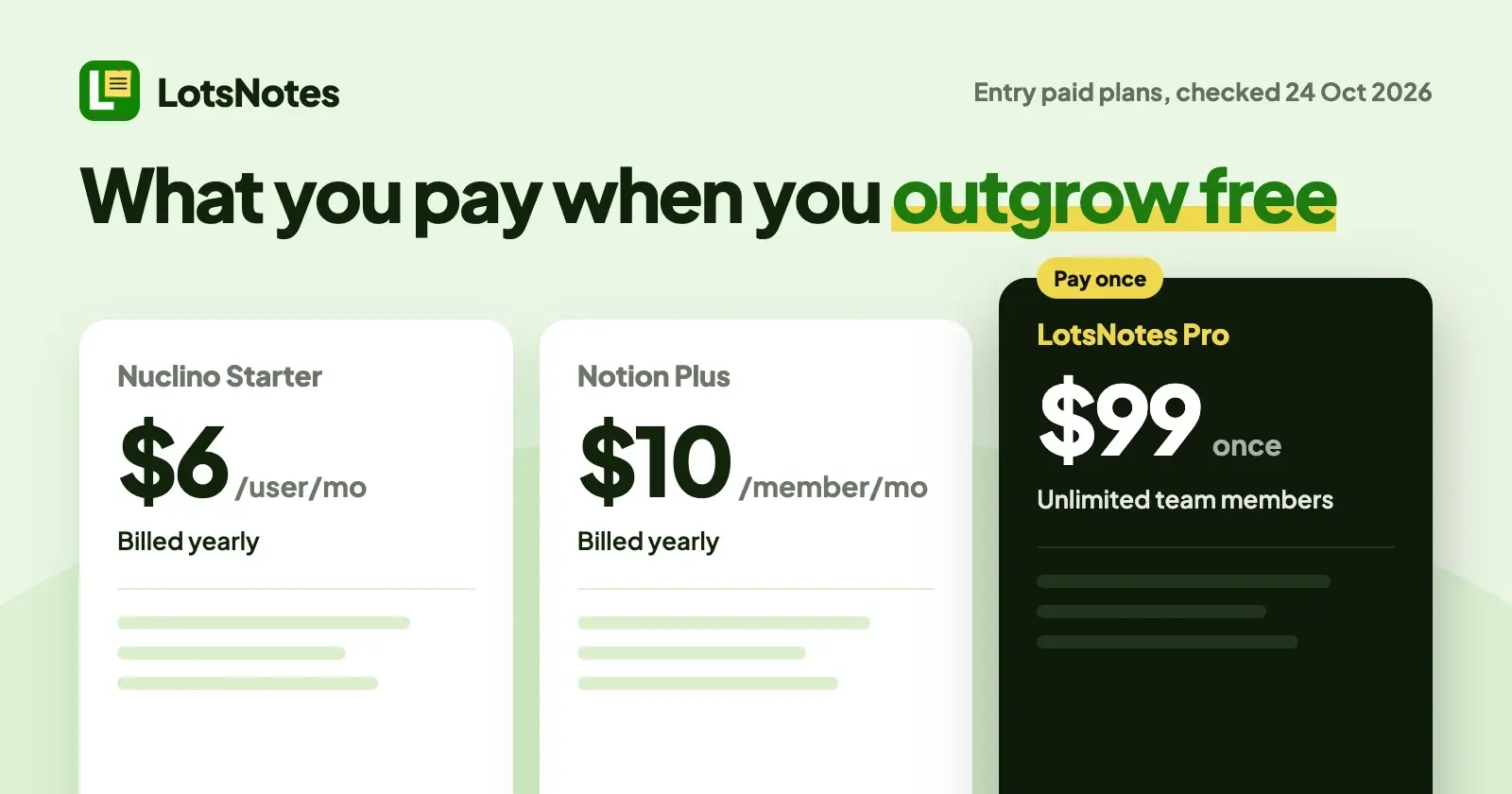
| Notion Free (the reference) | A workspace of pages and databases, positioned for individuals | Yes, hosted MCP works on every plan | Plus $10 per member a month on yearly billing; Business $20 |
| LotsNotes Free | 1 workspace, 3 folders, unlimited notes and checklists, one person | Yes, MCP and REST | Pro $99 once: unlimited workspaces, folders and team members |
| Nuclino Free | Up to 50 items, up to 3 canvases, 2 GB storage | Yes, MCP on all plans | Starter $6 per user a month yearly ($8 monthly); Business $10 yearly ($12 monthly) |
| Slab Free | Up to 10 users, unlimited posts and topics, 10 MB attachments, 90 days of version history | No MCP listed; GraphQL API starts on Business | Startup $6.67 per user a month billed annually; Business $12.50 |
| Fibery Free | Up to 10 users, 10 databases, unlimited entities, 1 GB, 14 days of version history | Yes, MCP on every plan | Standard $12 per user a month billed annually |
| Superhuman Docs Free (was Coda) | Collaborative docs, connected tables, formulas and automations | Trial only: read-only, 30 requests a week, 60 a month | Pro $12 per Doc Maker a month billed annually ($15 monthly); Business $33 |
| Obsidian | The app is free without limits and needs no sign-up; notes are Markdown files on your device | No MCP listed on its pricing page | Optional Sync $4 per user a month billed annually ($5 monthly) |
Notion Free: the reference point
Notion's pricing page describes Free as the plan "for individuals to organize personal projects and life", with databases, basic forms and basic sites. Plus is $10 per member a month on yearly billing, and Business is $20.
For agents, Notion is generous: Notion's MCP docs say the hosted server at https://mcp.notion.com/mcp works on every plan. Some features depend on the plan: MCP tokens for headless agents need Business or Enterprise, workspace guests can't connect, and SQL queries are limited outside Business and Enterprise with Notion AI.
If Notion already does what you need, a free alternative isn't a reason to move. I wrote the longer version in LotsNotes vs Notion.
LotsNotes Free: shared context for every agent, for one person
LotsNotes is for people who work with more than one AI agent and keep pasting the same facts into each. You write positioning, customers, voice and rules once, organize them in a workspace with folders, and every agent reads the current version over MCP at https://api.lotsnotes.com/mcp (OAuth sign-in, no key) or over REST with a key.
Free gives one person 1 workspace, 3 folders, unlimited notes and checklists, and MCP and REST access. A note titled AGENTS.md is the instruction file agents read first. Notes can be private, which means they stay on lotsnotes.com and are never returned to an agent. Every save keeps a version.
What it isn't: there are no databases, no boards, no wiki-style page trees and no AI of its own. Your own agent does the reading and writing.
The limit to know: Free is for one person. When a teammate joins, you need Pro, which is $99 once, not a subscription, for unlimited workspaces, folders and team members with roles. Pro is also included while you have a Pro or Business plan of LotsSocial, LotsBlog, LotsTeam, LotsCRM, LotsInvoice, LotsBusiness or LotsStore. See pricing.
It fits you if the thing you'd put in Notion is "what my agents should know about my business". It doesn't fit if you need a team workspace for documents and projects.
Nuclino: a lightweight wiki with MCP on every plan
Nuclino is a simple team wiki. Free allows up to 50 items (real-time documents, counted across all workspaces), up to 3 canvases and 2 GB of storage. Starter removes the item limit and adds 30-day version history for $6 per user a month on yearly billing ($8 monthly). Business is $10 yearly ($12 monthly) and adds its Sidekick AI, audit log and SSO.
Nuclino's help center says its MCP server at https://api.nuclino.com/mcp is available on all plans, with OAuth. An agent can search, read, create and update items, comment, restore versions and move content.
It fits a small team that wants a clean wiki and is fine staying under 50 documents, or paying per user once it grows.
Slab: a free team wiki for up to 10 people
Slab's pricing page says you can use it free forever for up to 10 users plus guests. Free includes unlimited posts and topics, with 10 MB attachments and 90 days of version history. Startup is $6.67 per user a month billed annually, and Business is $12.50.
Slab's pricing page lists a GraphQL API on Business and Enterprise and doesn't list an MCP server.
It fits a team of up to 10 that wants a focused wiki and doesn't need an agent connected on Free.
Fibery: docs and databases, free for up to 10 users
Fibery is the free option here with the most database depth. Its Free plan covers up to 10 users, 10 databases, unlimited entities, collaborative docs, formulas, automations and integrations, with 1 GB of file storage and 14 days of version history. Standard is $12 per user a month billed annually, and observers and guests are free.
Fibery's pricing page lists its remote MCP as unlimited on every plan, and its MCP page describes agents querying data, searching content, and creating and updating entities and documents at https://mcp.fibery.io/mcp.
It fits a team that wants a work-OS with relations between databases and is happy to learn a more structured tool than Notion.
Superhuman Docs (formerly Coda): docs and tables
Coda is now Superhuman Docs. Free includes collaborative docs, connected tables, formulas and automations. Pro is $12 per Doc Maker a month billed annually ($15 monthly), with 30-day version history, and Business is $33 annually ($40 monthly).
On MCP, Superhuman's Docs MCP page says it's included on all paid plans, and that free plan users can try it read-only for up to 30 requests a week, with a maximum of 60 a month.
It fits people who like building docs with tables and automations, and who will pay a Doc Maker seat for an agent that writes.
Obsidian: free notes on your own disk
Obsidian isn't a hosted workspace. Its site says it stores your notes locally as plain-text Markdown files, and its pricing page says the app is free without limits and needs no sign-up. Sync is $4 per user a month billed annually ($5 monthly) and adds end-to-end encryption, version history and shared vaults. Publish is $8 per site a month billed annually.
Obsidian's pricing page lists no MCP server. Because the notes are plain Markdown files in a folder, an agent that can read your disk, such as Claude Code or Codex, can read them directly.
It fits one person who wants their notes on their own machine, with no account.
Which free tool fits
- You want a workspace like Notion, for free: stay on Notion Free, or try Fibery for databases or Superhuman Docs for docs and tables.
- You want a simple team wiki: Nuclino (up to 50 items, MCP included) or Slab (up to 10 users, no MCP listed).
- You want private notes on your own computer: Obsidian.
- You want every AI agent to read the same business facts: LotsNotes Free for one person, then Pro at $99 once when a teammate joins.
- You want both: keep Notion for documents and projects, and put the handful of facts your agents need in LotsNotes. They don't compete for the same job.
Using Notion and LotsNotes together
If your agent notes live inside a Notion workspace today, you can move only those, not the whole thing. Connect LotsNotes to your assistant (Claude: Customize, Connectors, Add custom connector, paste https://api.lotsnotes.com/mcp; the setup for each client is on lotsnotes.com/mcp), and with Notion's MCP also connected, ask:
Read my Notion pages "Brand voice", "Pricing" and "Positioning". In LotsNotes,
create a folder called "Company" and save each page as a shared note there.
Save the instructions you'd want every agent to read first as a workspace note
titled AGENTS.md. List what you created with the LotsNotes links.
The agent uses LotsNotes' create folder and create note tools, and each note comes back with its link, so you can check the result. For seven places to keep that context, including Notion's own MCP, read Notion MCP alternatives. If you're choosing between keeping context in Claude or outside it, see Claude Projects alternatives. There's a longer list of notes apps with MCP servers in the best notes apps with an MCP server.
FAQ
What is the best free alternative to Notion?
It depends on what you use Notion for. For a team wiki, Nuclino and Slab have free plans. For databases, Fibery's Free plan covers up to 10 users. For private notes on your own computer, Obsidian is free. For shared business context that AI agents read, LotsNotes Free is for one person, with MCP and REST included.
Is Notion free?
Yes. Notion Free is $0 and is positioned for individuals. Plus is $10 per member a month on yearly billing, and Business is $20. Notion's MCP works on every plan, with a few features reserved for Business and Enterprise (checked on 24 October 2026).
Can LotsNotes replace Notion?
Not as a workspace. LotsNotes has no databases, boards or page trees. It keeps the business context your AI agents read, such as positioning, customers, voice and rules, in workspaces and folders. Many people use Notion for documents and projects and LotsNotes for what their agents should know.
Which free plans let an AI agent connect over MCP?
On the free plans I checked on 24 October 2026: Notion, Nuclino, Fibery and LotsNotes all include MCP. Superhuman Docs allows a read-only trial of up to 30 requests a week. Slab's and Obsidian's pricing pages list no MCP server.
What does LotsNotes cost after the free plan?
LotsNotes Pro is $99 once, not a subscription, and includes unlimited workspaces, folders and team members with roles. It's also included while you have a Pro or Business plan of LotsSocial, LotsBlog, LotsTeam, LotsCRM, LotsInvoice, LotsBusiness or LotsStore.
Can a team use LotsNotes Free?
Free is for one person. Adding teammates needs LotsNotes Pro. Your agents still connect through your own account on Free, over MCP or REST.
Sources
Opened and checked on 24 October 2026:
- Notion: pricing and Notion MCP docs
- LotsNotes: pricing and llms.txt
- Nuclino: pricing and MCP help article
- Slab: pricing
- Fibery: pricing and MCP server page
- Superhuman Docs: plans and Docs MCP
- Obsidian: pricing and obsidian.md