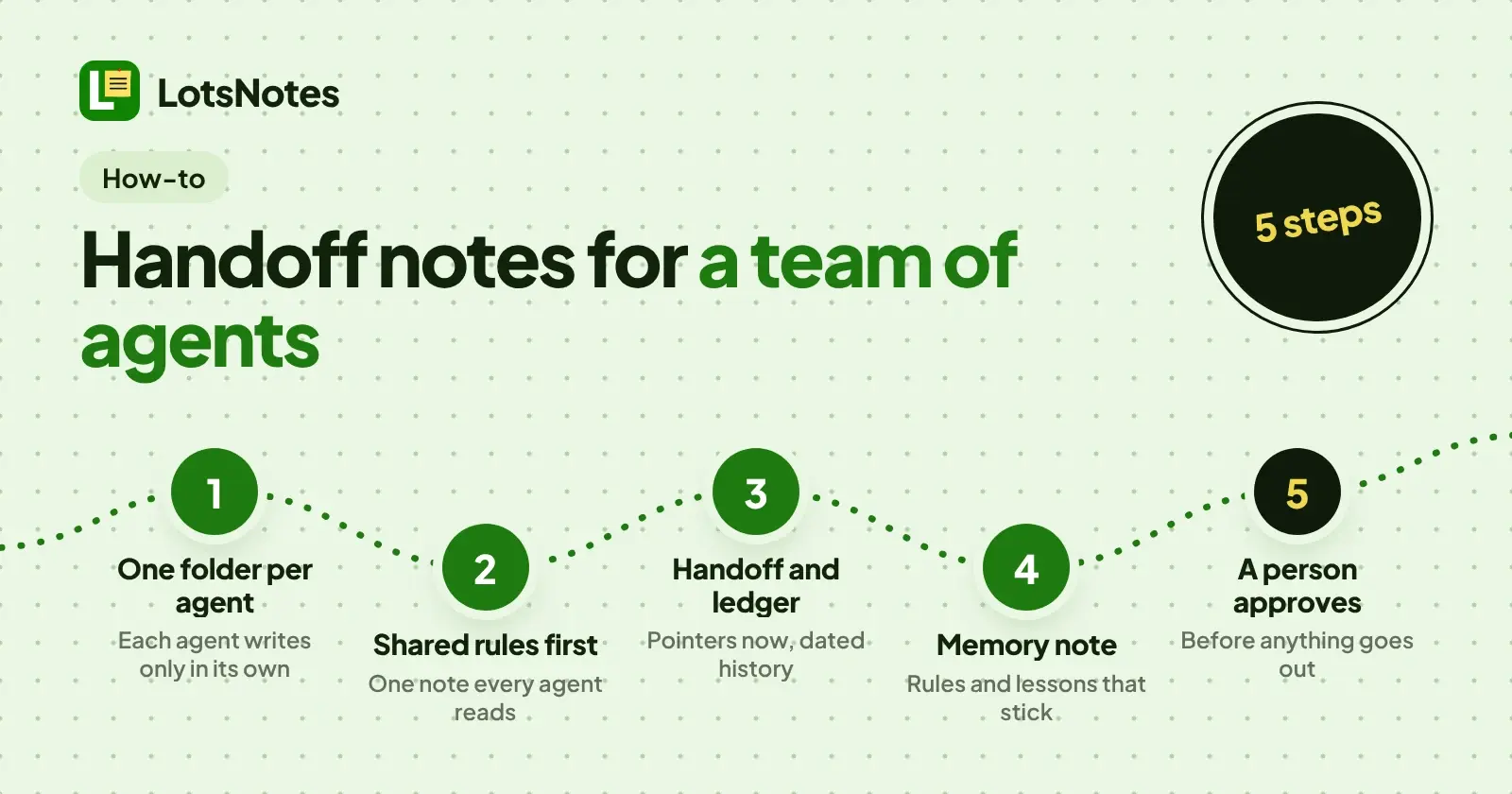
A team of AI agents shares notes well when every agent has its own folder, one shared rules note that every agent reads first, and four short notes per agent: AGENTS.md, handoff, ledger and memory. Agents write only inside their own folder, read everything shared, and nothing goes out until a person approves it. That is the whole pattern, and it works in any notes tool that lets agents read and write notes. Below it is spelled out with LotsNotes, where I can point at the exact tools.
I built LotsNotes and I'm the founder of LotsTech. The names, folders and notes below are made up for the example: a marketing agent, a support agent and a reviewer. They are not a customer story, just a layout you can copy.
The layout: one workspace, one folder per agent
Put everything in one workspace. Workspace-wide notes hold what every agent must follow. Each agent gets a folder for its own notes. LotsNotes folders can nest, so you can add subfolders later (a drafts folder inside the marketing folder, say) without changing the shape.
Example Co Agents            (workspace)
  AGENTS.md                  (workspace-wide: the shared rules)
  pricing-facts              (workspace-wide: facts every agent uses)
  marketing/
    AGENTS.md
    handoff
    ledger
    memory
  support/
    AGENTS.md
    handoff
    ledger
    memory
  reviewer/
    AGENTS.md
    handoff
    ledger
    memory
Three agents, three folders. That is exactly what LotsNotes Free holds for one person: one workspace, three folders, unlimited notes and checklists, with MCP and REST access (checked on 5 November 2026). When a teammate joins or you add a fourth agent, Pro is $99 once and adds unlimited workspaces, folders and team members with roles. It is included with a Pro or Business plan of LotsSocial, LotsBlog, LotsTeam, LotsCRM, LotsInvoice, LotsBusiness or LotsStore. More on that in LotsNotes pricing explained.
Who writes, who reads, who approves
This is the part people skip, and it is the reason the pattern works.
| Note | Who writes it | Who reads it |
|---|---|---|
Shared rules (AGENTS.md at workspace level) | The owner (you) | Every agent, first, every session |
An agent's own AGENTS.md, memory, plan | The owner, or the agent when the owner asks | That agent |
An agent's handoff and ledger | That agent only | The owner, the next agent that takes the folder, and the reviewer |
| A draft or deliverable | The agent whose folder it is in | The reviewer, then the owner |
| Approval | A person | Everyone, as a line in the ledger |
Two rules fall out of the table. An agent writes in its own folder and reads everywhere else. And approval is never an agent's call: the reviewer agent checks work and leaves comments, the owner says yes.
Step 1: the shared rules note every agent reads first
In LotsNotes, a note titled AGENTS.md holds agent instructions (the API docs say so). When you create it without a folder, it is workspace-wide, and find_context always returns workspace-wide notes. So every agent that looks up its context gets the shared rules without being told where they are.
Keep it short. A starting point:
# Shared rules for every agent at Example Co

Read this note whole at the start of every session, then your folder's
AGENTS.md, memory and handoff.

- Write only in your own folder. Read anything.
- Drafts are always fine. Never publish, send or post anything until the
  owner says yes for that item. A yes covers that item only.
- Facts (prices, plans, limits) come from the pricing-facts note, never memory.
- Everything needed to continue lives in notes, never only in chat.
- Save with the version you last read. If the save fails, read again and merge.
For what goes into each agent's own file, see AI Agent Instructions Example: A Real AGENTS.md for a Marketing, Support or Sales Agent.
Step 2: a handoff note that is pointers, not a story
The handoff note answers one question: if a different agent (or the same one tomorrow, with a blank context) opens this folder, what does it do first? So it holds pointers. State, next steps, blockers, where to look. No history.
# handoff: marketing agent
Updated: 2026-11-05

State: October newsletter draft is in marketing/drafts, waiting for review.
Next:
1. Fix the three reviewer comments (see reviewer/handoff).
2. Ask the owner to approve the final text.
Blocked: final price line, waiting on pricing-facts.
Read first: workspace AGENTS.md, marketing/AGENTS.md, memory.
Do not touch: support/.
A good test: could a new agent act on it in a minute? If a handoff note is growing paragraphs about what happened, move that to the ledger and keep the pointers. I wrote more about passing work between sessions and tools in Claude Code Handoff.
Step 3: a ledger, by date
The ledger is the other half: a dated record of what was done. Append-only, newest first, one line per piece of work, signed with the agent's name. It answers "did anyone already do this?" so nobody repeats work.
# ledger: marketing agent
- 2026-11-05 (marketing): newsletter draft v2 saved in marketing/drafts, 3 reviewer comments fixed, awaiting owner approval.
- 2026-11-04 (marketing): newsletter draft v1 saved, sent to reviewer.
- 2026-11-03 (marketing): owner approved the launch post, published by owner.
The handoff says where things stand now. The ledger says how they got there. Keep them apart and both stay short.
Step 4: a memory note for rules and lessons
Agents forget between sessions. The memory note is where a rule or a lesson goes so it survives: "The owner wants subject lines under 50 characters." "Say customers, not users, in public copy." Each entry is one line with a date.
Use it instead of relying on any one tool's built-in memory, because the notes are what the next agent, on any model, will read. I compared the two ideas in AI Agent Memory vs Shared Notes.
Step 5: approvals before anything goes out
LotsNotes stores the notes. The approval rule is a rule you write, so write it in the shared note (Step 1) and make it checkable. Three habits help:
- A draft is a note. The agent saves the draft in its folder. Nothing leaves the workspace.
- The reviewer reads, then comments. The reviewer agent opens the draft with
read_noteand writes its comments in its own folder'shandoff, so the marketing agent has something concrete to fix. - A person says yes. The owner approves per item and the agent logs "approved by owner" in its ledger. A checklist in the note works well for this; see shared checklists your agent can tick off.
If you want an agent that can read but never edit, give its account the viewer role: viewers only read, members create and edit notes, admins manage the workspace, folders and team (from the LotsNotes API docs). Members and viewers can also be limited to selected folders.
How agents stay out of each other's way
Folders keep agents apart most of the time. The expected_version field covers the rest. The LotsNotes save_context_note tool (PUT /context/notes/:note_id over REST) takes an optional expected_version: the note version the agent last read. If someone changed the note since, the save fails with 409 NOTE_VERSION_CONFLICT so the agent never overwrites that edit. It reads the note again and merges.
The request shape from the docs looks like this (the note id and text are made up):
PUT /api/v1/lotsnotes/context/notes/<note_id>
{
  "content_markdown": "...updated ledger with a new line at the top...",
  "expected_version": 12
}
A shared ledger or rules note is where two writers collide most. If the save returns 409, the rule in your shared note is simple: read again, add your line to the newest version, save again.
When something goes wrong: history, trash, restore
Agents make mistakes and so do people. Three things in LotsNotes make mistakes cheap:
- Version history. Every save creates one version snapshot.
list_context_versionslists them newest first andget_context_versionreads one. - Restore a version.
restore_context_versionputs a note back to an earlier version and keeps the current state in history, so even the restore can be undone. - Trash and restore.
trash_noteis a soft delete andrestore_context_notebrings the note back. Deleting a folder hides its notes and keeps them, andrestore_folderbrings everything back.
If an agent should lose access altogether, the owner or an admin can remove the member or change the role. I covered that in Is LotsNotes Safe?.
Connecting the agents
Each agent connects to the remote MCP server at https://api.lotsnotes.com/mcp and signs in with OAuth, or uses a key with the REST API. The tools used in this article are list_workspaces, list_folders, create_folder, find_context, read_note, create_context_note and save_context_note, out of the 34 tools in the tools.json listing (checked on 5 November 2026). The step-by-step setup for Claude, ChatGPT, Codex and Cursor is in How to Connect Claude, ChatGPT, Codex and Cursor to LotsNotes.
One more habit: keep drafts you are not ready to share in private notes. Per the docs, private notes never leave lotsnotes.com, so agents never see them.
FAQ
How many folders do I need for a team of AI agents?
One per agent, plus workspace-wide notes for the rules everyone shares. LotsNotes Free has one workspace and three folders for one person, which fits three agents. Pro is $99 once and adds unlimited workspaces, folders and team members with roles.
What goes in an agent handoff note?
Pointers, not a story: the current state in a line or two, the next steps in order, what is blocked and by whom, which notes to read first and what not to touch. If a reader needs more than a minute to act on it, it has turned into a diary and belongs in the ledger.
How do I stop two agents overwriting each other's notes?
Give each agent its own folder so they rarely touch the same note, and send expected_version when saving. If someone changed the note since the agent read it, the save fails with a 409 NOTE_VERSION_CONFLICT instead of overwriting, and the agent reads the note again and merges.
Can I undo a bad edit or a deleted note?
Yes. Every save creates a version snapshot you can list, read and restore, and restoring keeps the current state in history. A trashed note is a soft delete that restore brings back.
How does an agent find its instructions?
In a note titled AGENTS.md. find_context searches by title: workspace-wide notes such as the shared rules always come back, and with a folder_id the agent's own folder notes come back too. The agent then reads each note with read_note.
Who approves what the agents write?
A person. Write the rule into the shared rules note: drafts are fine, but nothing is published, sent or posted until the owner says yes for that item. A reviewer agent can check drafts first and leave comments in its own folder, but the approval stays with a human.