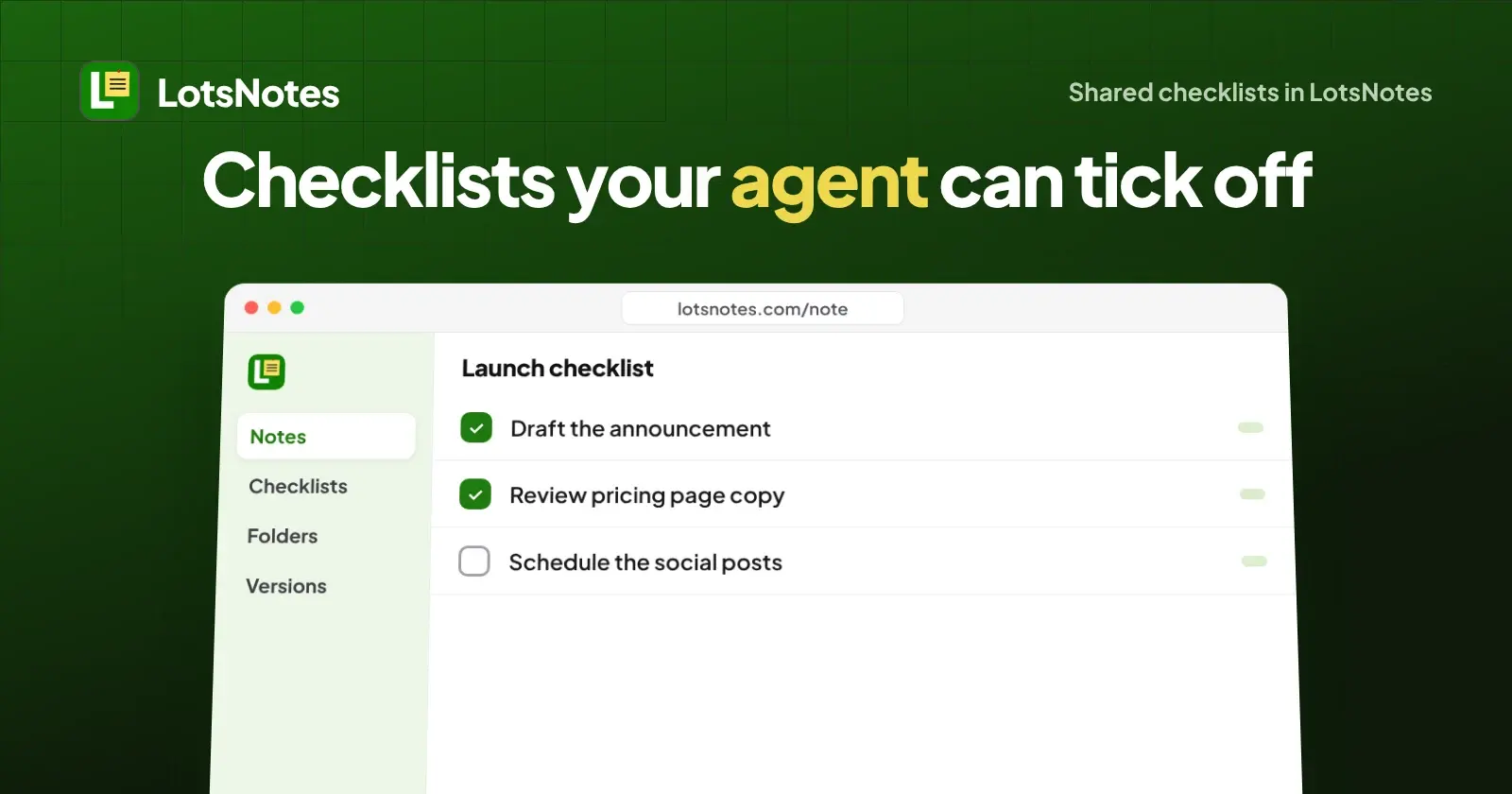
Yes. In LotsNotes a checklist is a real field on a shared note, so your AI agent can create it, read it back and tick items off through the MCP, and you see the same list in the dashboard. Create the note with checklist_items, read it with read_note, save the list again with save_context_note when an item is done.
I ran this exact loop through the LotsNotes MCP while writing this post. Below are the steps, the real fields, and one safety feature (version checks) that matters when you and an agent edit the same list.
What you can do with a shared checklist
A checklist note is a shared note with a Markdown body and a list of items, each with text and a checked flag. That is enough for the jobs founders hand to agents every week:
- A launch list the agent works through and ticks as it goes.
- A handoff list: what the last session finished, what the next one picks up. (More on handoffs in Claude Code handoff.)
- A review list you tick by hand while the agent tells you what is left.
Claude, ChatGPT, Codex, Cursor or a cloud agent all read and write the same list, because they all use the same MCP server. The dashboard does the whole job too: open the note's link on lotsnotes.com and the checklist is right there.
The steps
- Connect your agent. Add the server
https://api.lotsnotes.com/mcpand sign in with your Lots account. In Claude Code that isclaude mcp add --transport http lots-notes https://api.lotsnotes.com/mcp. In Codex it iscodex mcp add lots-notes --url https://api.lotsnotes.com/mcpthencodex mcp login lots-notes. Setup for Claude, ChatGPT, Cursor and Windsurf is on the LotsNotes MCP page, and my connection guide covers each one. - Ask the agent to make the checklist. For example: "In my LotsNotes workspace, create a note called Launch checklist with three items: draft the announcement, review pricing page copy, schedule the social posts." The agent calls
lotsnotes_create_context_notewithtitle, optionalcontent_markdown, optionalfolder_id, andchecklist_items. - Have it read the list.
lotsnotes_read_notereturnscontent_markdown, achecklist_itemsarray and the note's link. Each item comes back with anid, itstextandchecked. - Tick items off. The agent calls
lotsnotes_save_context_notewith the note id and the fullchecklist_itemsarray, using each item'sidandchecked: truefor the finished ones. Each save creates one version snapshot, and you can restore an older version. - Pass
expected_version. Send the version you last read. If you or someone else changed the note in the meantime, the save is refused instead of overwriting their edit. - Clean up.
lotsnotes_trash_notemoves a note to the trash, and it can be restored.
What I ran
I ran this in a scratch workspace that I created for the run, through the LotsNotes MCP:
| Step | Call | Result |
|---|---|---|
| Create | lotsnotes_create_context_note with three checklist_items | Note created at version 1, type "mixed" (text plus checklist), each item given an id |
| Read | lotsnotes_read_note | Three items back, all unchecked, plus the note's link |
| Tick two | lotsnotes_save_context_note with expected_version: 1 | Version 2, two items checked |
| Stale save | Same call with expected_version: 1 again | Refused with NOTE_VERSION_CONFLICT (current version 2) |
| Tick the last | Save with expected_version: 2 | Version 3, all three checked |
| Clean up | lotsnotes_trash_note, then archive the scratch workspace | Done, nothing left in my real workspaces |
The refused save is the part I like. Two agents, or an agent and you, cannot silently overwrite each other's ticks: the second one is told to read again and merge.
The item format
Items are plain objects. This is what I sent on create:
[
  {"text": "Draft the announcement", "checked": false},
  {"text": "Review pricing page copy", "checked": false},
  {"text": "Schedule the social posts", "checked": false}
]
On read, each one also carries an id. Send those ids back on save and tick by setting checked to true.
For founders running several agents
This is where a shared checklist beats a checklist inside one chat. A task list in a single Claude or ChatGPT conversation dies with that conversation. A LotsNotes checklist is a shared note, so your coding agent can tick "migration done" and your writing agent, in another tool, reads that before it starts. Keep one checklist per project in a folder, and put a line in that folder's AGENTS.md telling agents to read the checklist first and tick items as they finish. I use the same pattern for our own agents' handoffs.
For agencies
Give each client a folder and a checklist note inside it (onboarding, monthly reporting, launch). Agents working on one client read that client's folder, so a ticked item on one account never lands on another. A note can be moved to another folder with lotsnotes_move_context_note, no copy-paste. The free plan has 3 folders; Pro has unlimited folders and team members with roles, so a teammate or VA can tick the same lists. See how to keep each client's context separate.
For business owners
You do not need to touch an API. Ask your assistant to make the list, open the link it gives you, and tick items yourself. Whatever you tick is what the agent sees next time it reads the note.
Plans
Checked on 2 November 2026 on https://lotsnotes.com/pricing and the live pricing facts: Free is $0 for one person, with 1 workspace, 3 folders, unlimited notes and checklists, and MCP and REST access. LotsNotes Pro is $99, one payment, with unlimited workspaces, folders and team members with roles. Pro is also included with certain Pro and Business plans of other LotsTech products; the pricing explained post has the list. Private notes are never returned to agents: see Is LotsNotes safe?.
FAQ
Can an AI agent tick off a checklist in LotsNotes?
Yes. The agent reads the note with lotsnotes_read_note, then saves the same list with the finished items set to checked: true using lotsnotes_save_context_note. It is the same note you open on lotsnotes.com.
Which agents can use shared checklists?
Any agent that connects to the LotsNotes MCP at https://api.lotsnotes.com/mcp, including Claude, ChatGPT, Codex and Cursor. Cloud agents can use the REST API with a key.
What happens if I and my agent edit the checklist at the same time?
Pass expected_version when saving. If the note changed since you read it, the save is refused with NOTE_VERSION_CONFLICT and the agent reads again and merges, so nobody's ticks are overwritten.
Can I get an old version of a checklist back?
Yes. Every save creates a version snapshot, and an agent or you can restore an earlier version.
Do checklists cost extra?
No. Unlimited notes and checklists are part of the Free plan, which is for one person. Pro is $99, one payment, for unlimited workspaces, folders and team members.