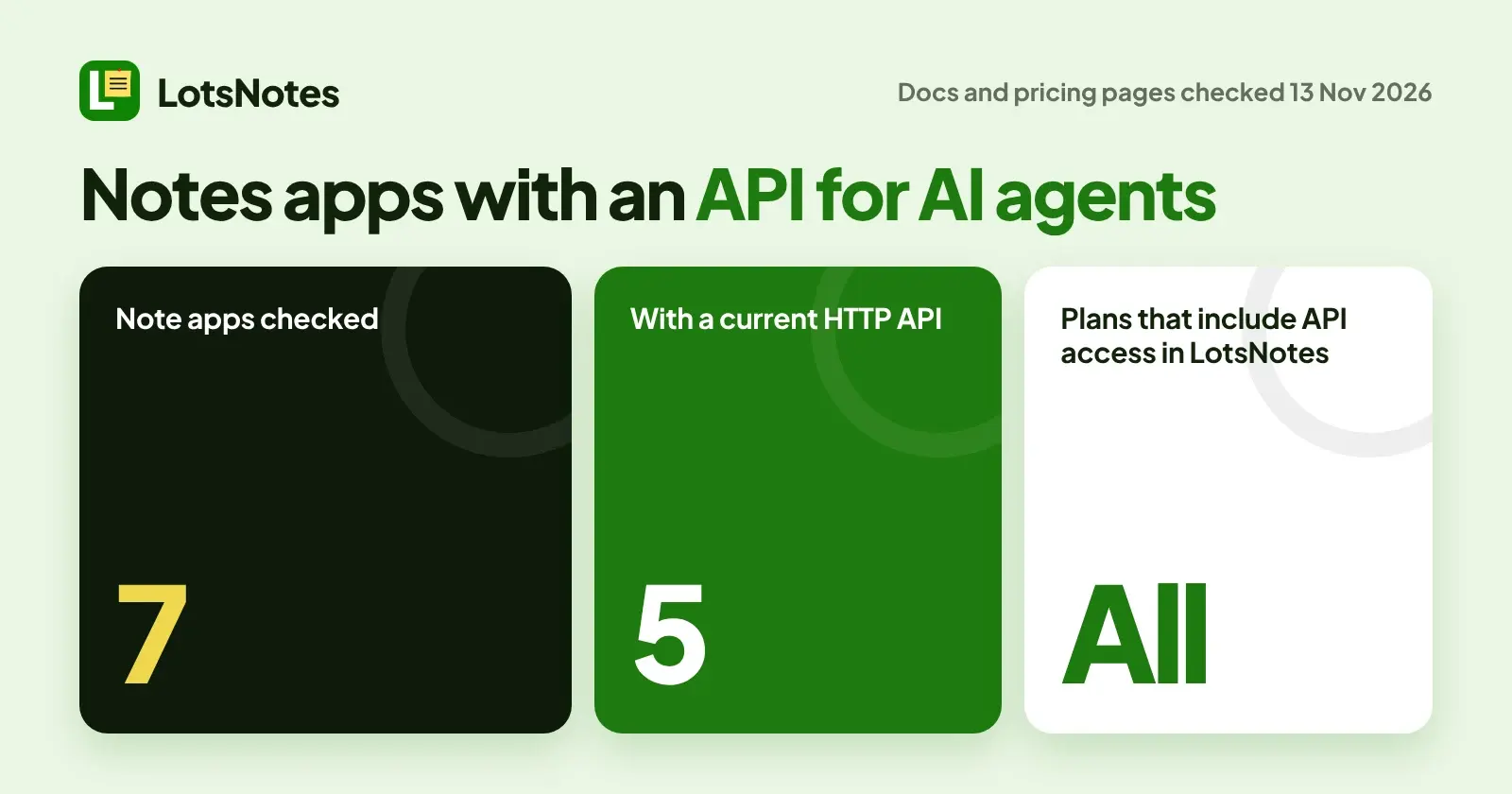
If you want AI agents to read and write your notes through a public API, I'd start with LotsNotes: it has a REST API with 32 endpoints, a hosted MCP server with 34 tools, an API key you create yourself, and it runs in the cloud so nothing has to be open on your laptop. It is free for one person, and Pro is $99 once. Of the other tools I checked, Notion and Craft also have hosted APIs and MCP servers, Anytype and Joplin run a local API from their desktop apps, Evernote is moving to a beta MCP server, and Obsidian is controlled through a command line.
I'm the founder of LotsNotes, and I built it because I wanted Claude, ChatGPT and Codex to work from the same current notes as me. So read my pick with that in mind. Every fact about the other tools below comes from their own docs and pricing pages, opened on 13 November 2026, with the page named next to it. The list is LotsNotes first, then the others in alphabetical order.
The short version
| Tool | API for agents | Where it runs | MCP server | Price on its own page |
|---|---|---|---|---|
| LotsNotes | REST, 32 endpoints, API key | Cloud | Yes, 34 tools | Free for one person; Pro $99 once |
| Anytype | Local REST API (v2 pre-release), API key | Your desktop app | Not checked | Free plan lists 100 MB remote storage |
| Craft | API per connection, scoped to chosen documents | Cloud | Yes | Free plan: 1,500 blocks |
| Evernote | Classic API deprecated | Cloud | Yes, beta, 28 tools | MCP on paid plans |
| Joplin | Local REST Data API, token | Your desktop app | Not on its API page | App is open source; Joplin Cloud Basic 2.99 EUR per month, billed monthly |
| Notion | REST, personal access token | Cloud | Yes, hosted | Free $0 per member per month |
| Obsidian | Command line and plugin API | Your desktop app | None on its home or pricing page | Free; Sync $4 per user per month billed annually |
What I look at in a notes API
Most "notes app with an API" lists stop at "yes, it has one". For an agent that writes, these five questions decide whether it works day to day:
- Is it hosted or local? A local API only answers while the desktop app is open on your machine. A cloud agent cannot reach it.
- How does an agent sign in? An API key you create once, OAuth, or a token copied from the app.
- Can the agent write safely? If you and the agent edit the same note, does the save overwrite your work or stop and tell you?
- What are the rate limits? A burst of reads when an agent loads context can hit them.
- Is there an MCP server as well? Claude, ChatGPT, Codex and Cursor connect to MCP in one step, and REST covers your own code.
LotsNotes
Checked on 13 November 2026 at lotsnotes.com/pricing, api.lotsnotes.com/docs.md and api.lotsnotes.com/tools.json.
LotsNotes is shared business notes that every agent you use reads from, so the API is the product, not an add-on.
- REST: the docs list 32 endpoints for notes, folders, workspaces, members and versions. You authenticate with an API key in an
Authorization: BearerorX-API-Keyheader, and the limit is 100 requests per minute per key. - MCP:
https://api.lotsnotes.com/mcp, OAuth sign-in, no key to paste, 34 tools in the public list. Setup for each agent is on lotsnotes.com/mcp, and I walk through it in how to connect Claude, ChatGPT, Codex and Cursor to LotsNotes. - Find by title: the find tool returns notes by title with a summary and a link, so an agent reads only the notes it needs. A note titled
AGENTS.mdis the instruction file agents read first. - Safe saves: the save tool takes an optional
expected_version. If someone changed the note since your agent read it, the save fails with a 409 instead of overwriting their edit. - Versions and roles: every save keeps a version you can list and restore, and workspaces have owner, admin, member and viewer roles.
- Private notes: a private note is never returned to agents or the API.
Price: LotsNotes Free is $0 for one person: 1 workspace, 3 folders, unlimited notes and checklists, and MCP and REST API access. LotsNotes Pro is $99 once, not a subscription, for unlimited workspaces, folders and team members with roles. Pro is included with any Pro or Business plan of LotsSocial, LotsBlog, LotsTeam, LotsCRM, LotsInvoice, LotsBusiness or LotsStore. I explain the plans in LotsNotes pricing.
Fits: founders, operators and small teams who use more than one agent and want them all on the same notes.
Anytype
Checked on 13 November 2026 at developers.anytype.io, its rate limits page and anytype.io/pricing.
Anytype has a documented local API. The authentication guide says you need the latest Anytype desktop app installed and running with a logged-in account, then create an API key under Settings, API Keys, or request one through a challenge flow against http://localhost:31009. The developer site carries a banner saying Anytype API v2 is in pre-release, and its "What's New" list shows a chat API, a file API and markdown body patching. The API allows a burst of 60 requests, then 1 per second. The pricing page lists a Free plan with 100 MB of remote storage.
Fits: people who want a desktop workspace and run their agents on the same computer.
Craft
Checked on 13 November 2026 at craft.do/imagine/guide/api, craft.do/imagine/guide/mcp and craft.do/pricing.
Craft's "Imagine" guides cover both routes. For the API, you open the Connections tab, add an API connection, choose which documents it can reach (documents or daily notes), and Craft shows you an API URL. A "Download AI Bundle" button gives you the API documentation and your document content as one markdown file to hand to an AI coding tool. For MCP, you add https://mcp.craft.do/my/mcp to your client and approve the space in a browser window. The pricing page lists a free plan with 1,500 blocks and 1 GB of storage.
Fits: Craft users who want to build small apps on top of chosen documents, or connect Claude and ChatGPT to a notes app.
Evernote
Checked on 13 November 2026 at dev.evernote.com, its MCP tools page, FAQ and legacy API page.
Evernote's developer site now leads with an MCP server at https://mcp.evernote.com/mcp, marked as beta. It exposes 28 tools across notes, search, notebooks, Spaces, tags, tasks and attachments, including semantic search. Sign-in is OAuth with no API key, and the FAQ says it works with any client that speaks MCP over Streamable HTTP with OAuth, with Claude, ChatGPT, Cursor and Codex tested. The FAQ also says it is available on paid personal, Business and Teams plans, and that Free (Basic) accounts are not included. The classic Evernote API (EDAM) is labelled deprecated on the legacy page, though still available for existing integrations. I could not read Evernote's own price list from its plan pages, so I am not quoting one.
Fits: Evernote users with a paid plan who want Claude or ChatGPT to search and file their existing notes.
Joplin
Checked on 13 November 2026 at joplinapp.org Data API reference and joplinapp.org/plans.
Joplin is open source and has a REST Data API with endpoints for notes, folders, tags, resources, revisions and events. The docs say the API is available when the clipper server is running, normally on port 41184, and every call needs a token that you copy from the Web Clipper options in the desktop app. Creating a note is a single POST with a title and a Markdown body. I found no MCP mention on the API page. Joplin Cloud syncs and shares notes: the Basic plan is listed at 2.99 EUR per month billed monthly (2.40 EUR per month billed yearly).
Fits: developers who want a free, open-source notes app and a local API for their own scripts.
Notion
Checked on 13 November 2026 at developers.notion.com, the Notion MCP docs and notion.com/pricing.
Its quickstart has you create a personal access token and make a single request to POST /v1/pages with markdown content. The rate limit is a per-connection budget of 180 requests per minute on most plans and 600 per minute on Business and Enterprise, with querying a data source limited to about 3 requests per second. Notion also runs a hosted MCP server, and its docs list Agent APIs as well. The pricing page lists Free at $0 per member per month and Plus at $10 per member per month (the page has a pay monthly or pay yearly switch and does not say which price it shows). I compare it with my own product in LotsNotes vs Notion.
Fits: teams already running their work in Notion databases who want agents inside the same workspace.
Obsidian
Checked on 13 November 2026 at obsidian.md/pricing and obsidian.md/help/cli.
Obsidian keeps notes as local files, so its agent route is a command line rather than a web API. The help page says the Obsidian CLI lets you control Obsidian from your terminal, needs the app to be running, and requires installer version 1.12.7 or later. Its commands include read, append, search and create. The home and pricing pages say nothing about MCP. The pricing page lists the app as free and Sync at $4 per user per month billed annually ($5 billed monthly). I covered Obsidian in depth, including Sync for teams and Obsidian Headless, in Obsidian alternatives for teams whose AI agents need the same notes, so I won't repeat it here.
Fits: one person with a private local vault who is happy to script it from a terminal.
Also checked: Bear
Checked on 13 November 2026 at bear.app. Bear documents an x-callback-url scheme for Mac, iPhone and iPad, with actions such as open-note, create, add-text, search and tags. That is a link scheme handled by the app on your device, not a web API an agent can call from the cloud. Bear Pro is listed at $2.99 per month or $29.99 per year.
Which one should you pick
| If you need | Pick |
|---|---|
| Cloud agents and teammates on the same notes, REST and MCP, paid once | LotsNotes |
| An agent working on the same computer as a desktop notes app | Anytype or Joplin |
| Documents you pick one by one for apps and assistants | Craft |
| To search existing notes from Claude or ChatGPT on a paid plan | Evernote |
| Databases and pages inside a large workspace | Notion |
| A private vault scripted from a terminal | Obsidian |
For more on the MCP side of this list, see the best notes apps with an MCP server.
FAQ
Which note taking apps have a public API?
Of the apps I checked on 13 November 2026, LotsNotes and Notion have hosted REST APIs, Craft has an API that you switch on per connection, and Anytype and Joplin have local REST APIs served by their desktop apps. Evernote's classic API is deprecated, and Obsidian is controlled through a command line.
Do I need to keep the app open for the API to work?
For Anytype, Joplin and the Obsidian CLI, yes: their docs say the desktop app has to be running. LotsNotes and Notion are hosted, so an agent can reach them without your laptop being on.
Does Evernote still have an API?
Evernote's developer site labels the classic API deprecated and leads with a beta MCP server with 28 tools. The FAQ says the MCP server is available on paid personal, Business and Teams plans, not on Free accounts.
Does Bear have an API?
Bear documents an x-callback-url scheme with actions such as open-note, create, add-text and search. It works through the app on a Mac, iPhone or iPad, so it is not a web API for cloud agents.
What does the LotsNotes API cost?
REST and MCP access are included on every plan. LotsNotes Free is $0 for one person with 1 workspace, 3 folders and unlimited notes and checklists. LotsNotes Pro is $99 once, with unlimited workspaces, folders and team members.
Can an agent use a notes API without MCP?
Yes. REST works with any code or agent that can send an HTTP request with a key or token. MCP is the faster route for Claude, ChatGPT, Codex and Cursor, because you sign in once instead of writing calls.